INSTALLING CHASSIS IN A CABINET
33 20/1531-ASP11301 Uen B5 2017-03-23
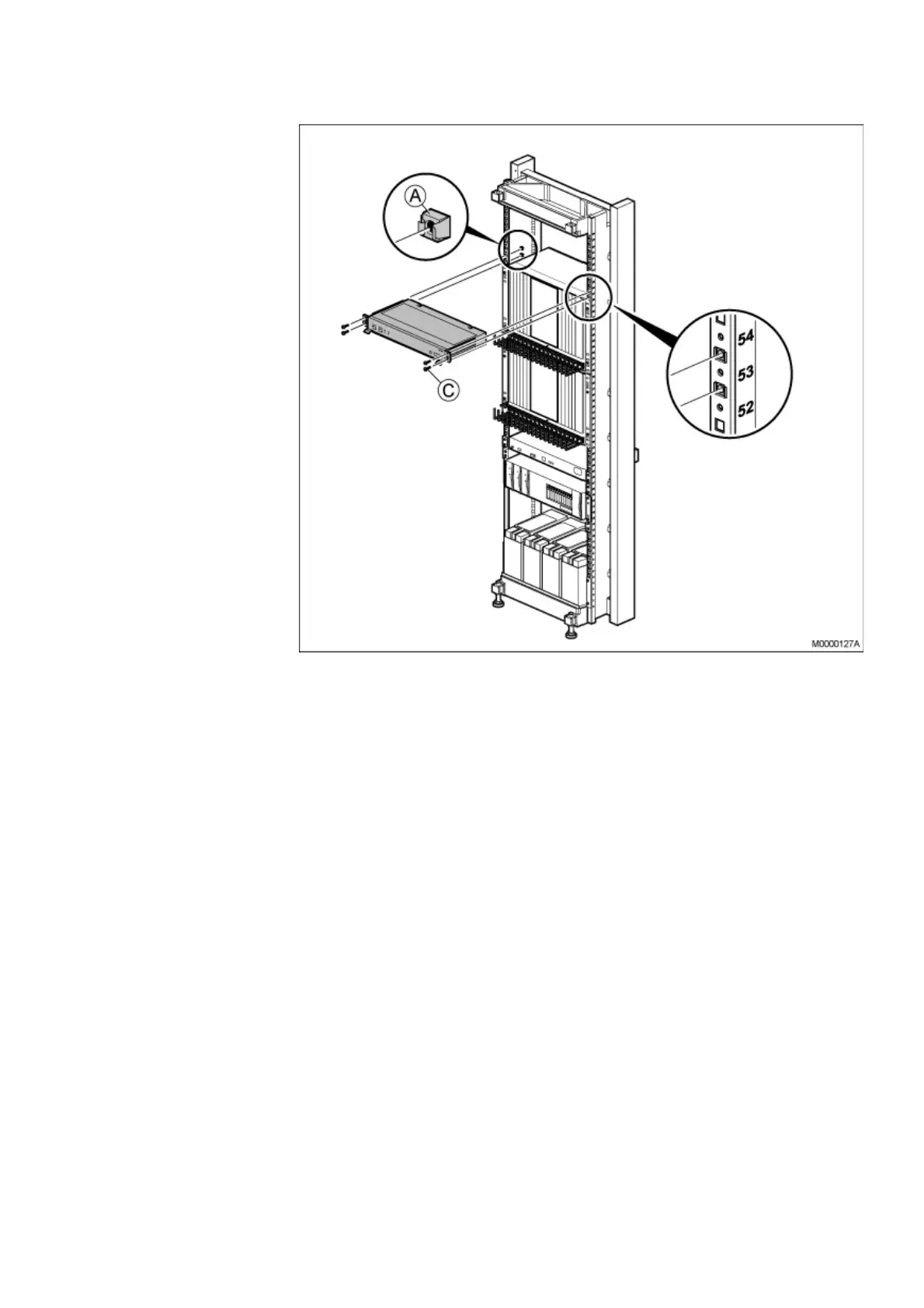
Figure 26: Installing the Fan Unit
• Mount four captive nuts (A) (see 2.3 Installing Supporting Captive Nuts on page
18) according to the number positions shown, see on page 32 and see on page
33.
• Insert the two slides (D) with springs (E), see on page 32 and fasten them with
the two screws (F).
• Slide the fan unit in position.
• Fasten the fan unit to the four captive nuts (A) in the cabinet. using the four
screws (C).
Make sure that no gap is left between subrack A, and the fan unit.



 To Next Page