OPERATION
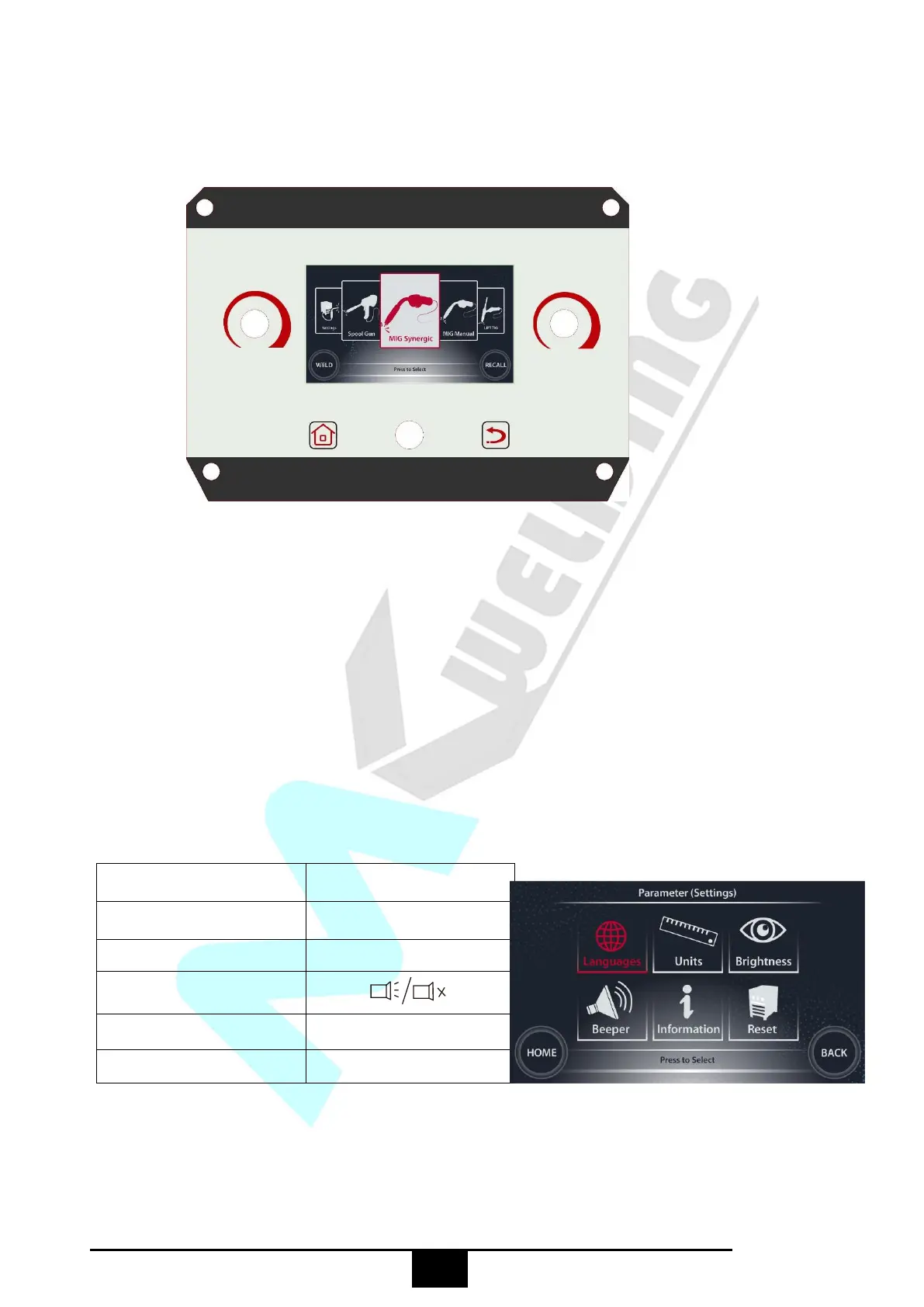
§3.2 Control Panel of welding machine
Main Start-up Interface
1. Function selection interface: rotate L Knob in the interface to choose from the four welding
methods of MIG/MAG Synergic, MIG/MAG Manual, Stick and TIG Lift.
2. Synergic parameter selection interface: a synergic parameter may be selected by rotating L Knob
in the interface.
3. Welding parameter setting interface: a welding parameter and its corresponding value may be
selected and set by rotating L Knob and R Knob in the interface.
4. System setting interface: a system parameter and its corresponding value may be selected and set
by rotating L Knob and R Knob in the interface shown below:
System parameters available
by rotating L Knob
System parameters available
by rotating R Knob
English/Simplified Chinese...
5. Function icon display interface: an interface displaying the icon of the welding method currently


 To Next Page