18 xTablet T1600 User Guide
Read Me First
Operating Your xTablet T1600
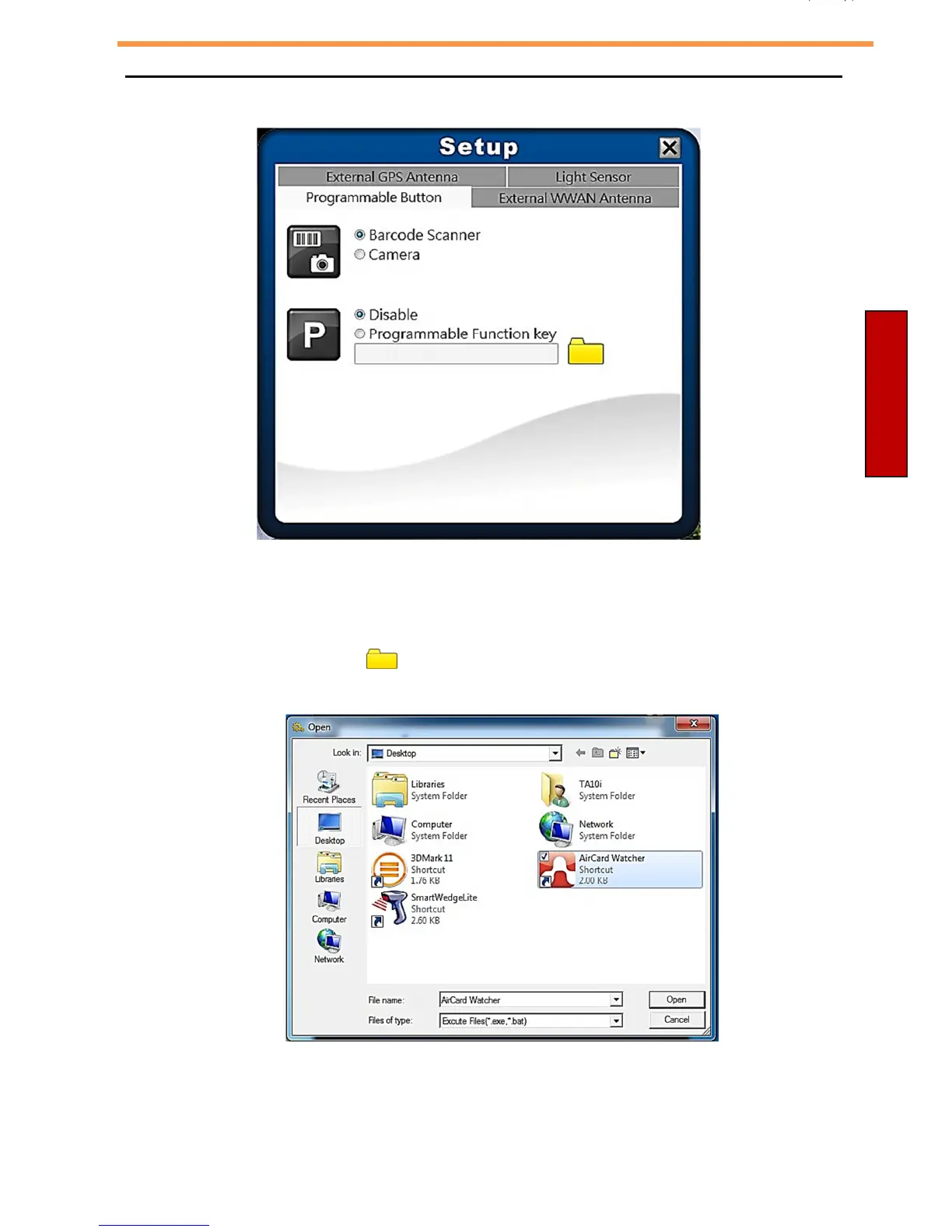
Configuring Programmable Buttons
•
If the device is not installed with a barcode scanner, the Function button can
be set as the shutter button when using the Camera.
•
To assign an application to the Program button, do the following:
I. Tap the folder icon ( ) to set up an application for the Program button.
II. Select the desired application and tap Open.



 To Next Page