xTablet T1600 User Guide 9
Read Me First
Before You Start
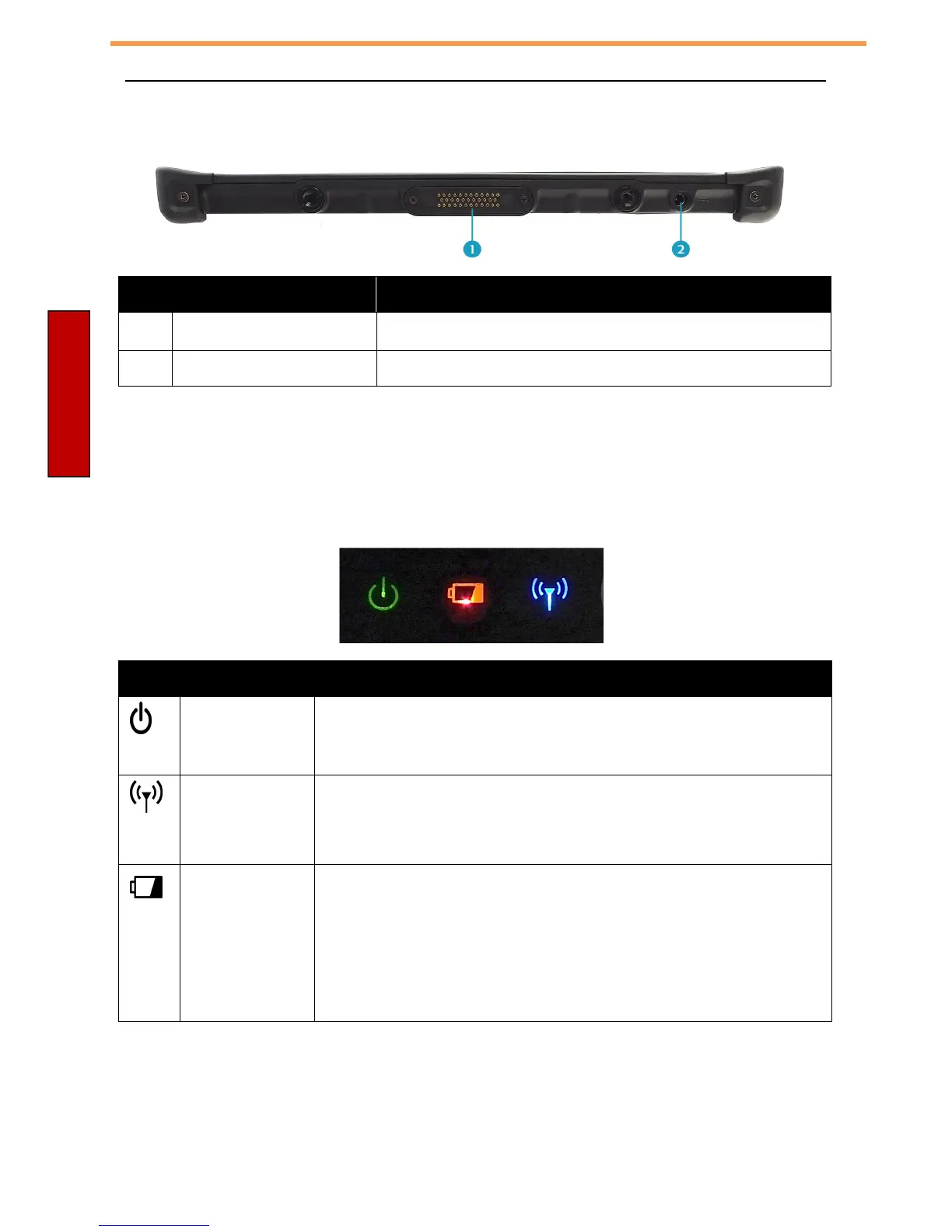
Bottom View
No.
Item Description
1
Docking contacts Connect the xTablet T1600 to a docking station.
2
DC-in jack Connect the power adapter.
Status Indicators
The status indicators in the upper side of the xTablet T1600 light up when a
particular function of the xTablet T1600 is active.
Icon
Item Description
Power The power icon is solid green when the system is
running. When the system is in sleep mode, the icon
blinks.
RF
Blue antenna icon shows that radio (WLAN, WWAN,
or Bluetooth) communications are enabled.
Battery Battery icon:
•
Green: when battery is fully charged (95% or above)
•
Orange: when battery is charging
•
Flashing orange: charging error
•
Red: when battery capacity is lower than 10%
•
Off: when discharging and above 10% or off



 To Next Page