38 xTablet T1600 User Guide
Read Me First
Making Connections
Connecting to a Wireless Wide Area Network (WWAN)
With WWAN (LTE), your xTablet T1600 can connect to the Internet using mobile
or cellular data networks.
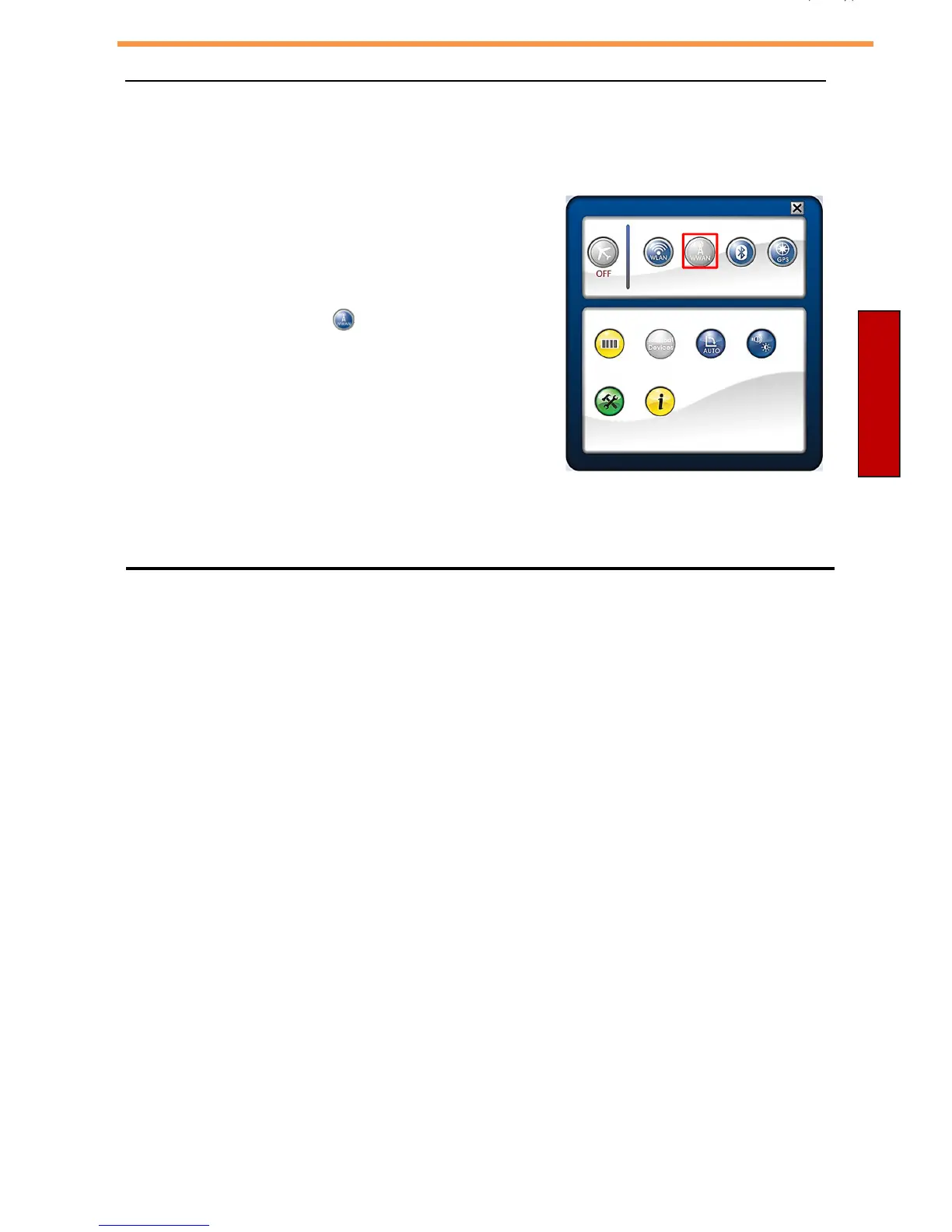
To enable the function, follow the steps below:
1. Insert a valid SIM card into the SIM card slot.
2. Open the Quick menu.
3. Tap the WWAN icon ( ) to turn on the
WWAN function.
4. L a u n c h t h e S k y l i g h t C o n n e c t i o n
Manager application.
How to use the Skylight Connection Manager Application
Setting up Mobile Broadband with the Skylight application
& GPS functionality
with the MobileDemand xTablet T1600
Thank you for
purchasing
your MobileDemand xTablet T1600 with the mobile
broadband
GOBI
module
.
To use mobile broadband network connections with your MobileDemand xTablet T1600, you use the
Sierra Wireless Skylight application called Skylight.
The Skylight application is already installed on your computer; the icon is on your desktop.
Y
ou
m
us
t
s
e
t
u
p th
e
Skylight application
b
e
f
o
r
e
y
ou
c
a
n
u
s
e
y
ou
r
m
obile
b
r
o
a
db
a
nd
n
e
t
wo
rk.
T
o
do
s
o
,
p
e
r
f
o
r
m
th
e
f
o
llo
wing
s
t
e
ps
:
Step 1: Start the Skylight application
Step 2: Choose your Carrier in the Skylight application
Step 3: Inserting your SIMM card
Step 4: Connect to your carrier
Step 4: Set up xTablet GPS. You do not need a mobile broadband account to use the MobileDemand
xTablet's GPS feature.



 To Next Page