xTablet T1600 User Guide 39
Read Me First
Making Connections
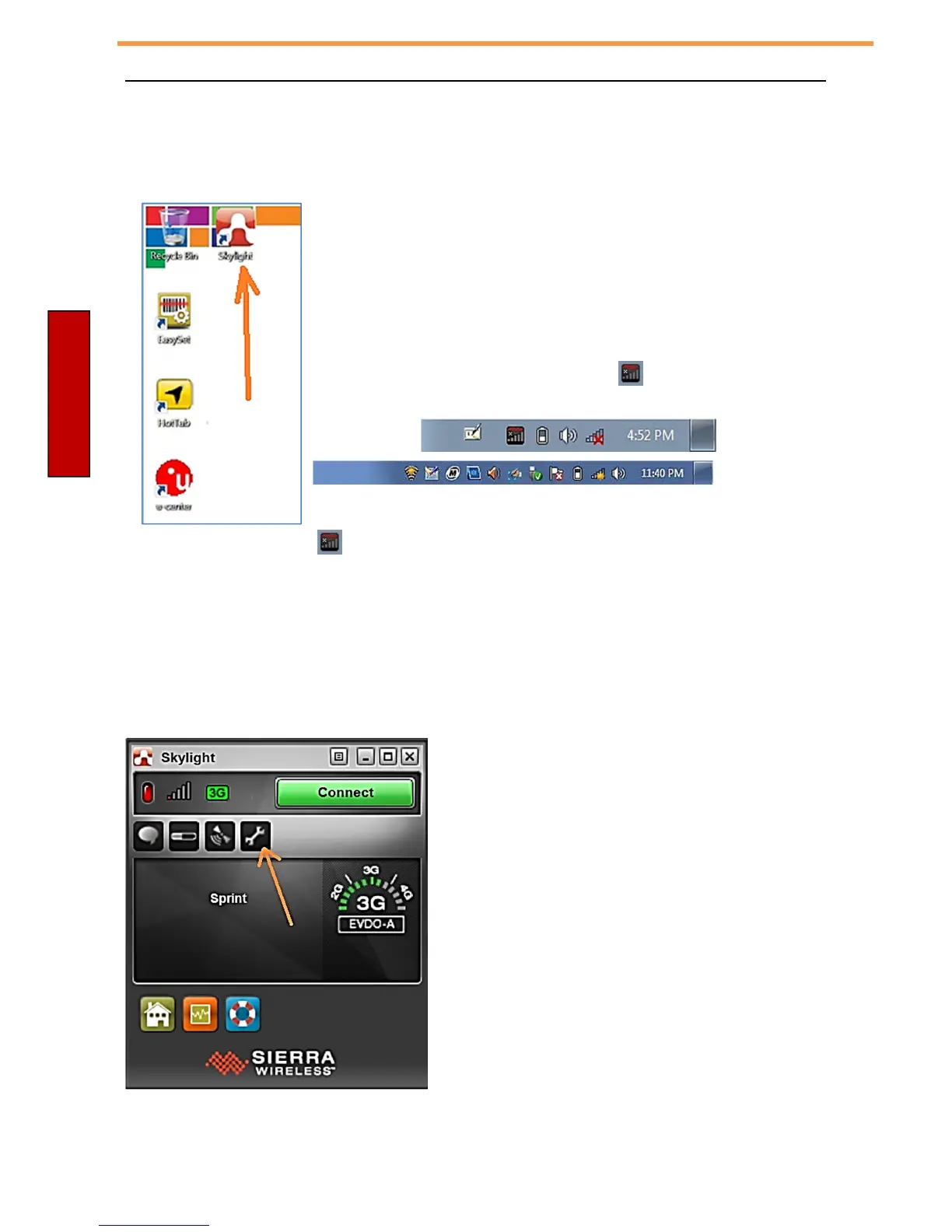
Step One: Start the Skylight application
You start the Skylight application from the icon on the Desktop of Windows.
To start the Skylight application
1. Tap S
t
a
r
t
>
Desktop – Skylight
The Skylight application window opens and the icon appears in the Windows
notification area, for example:
Note: If you do not see the icon, click the arrow next to the notification area to view additional icons.
Step Two: Choose your carrier in the Skylight application
Before you can use the mobile broadband installed on your tablet, you need to set up the Skylight application with
the information about your
mobile broadband network carrier.
1. In the Skylight application Window, click on the icon of the wrench.



 To Next Page