xTablet T1600 User Guide 33
Read Me First
Making Connections
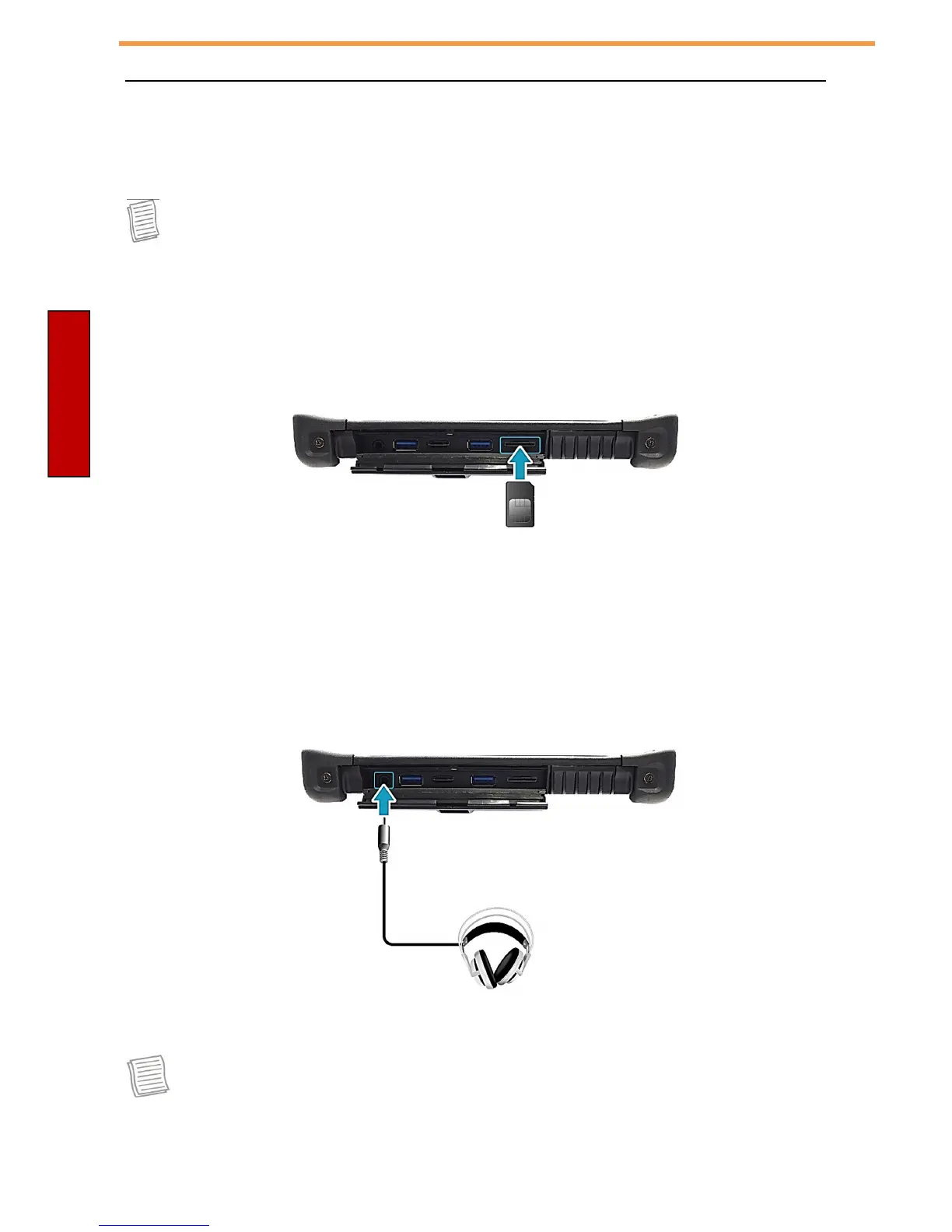
Installing the SIM Card
You can use a SIM card for LTE radio activation if you have purchased the LTE
option.
NOTE
•
Check the availability of service and plan rates of data connection with your
network service provider.
To insert a SIM card:
1. Push down and pull to open the I/O port cover.
2. Push a valid SIM card into the SIM card slot until it clicks into place.
Connecting the Microphone/Headset
Your xTablet T1600 is equipped with audio combo jack that enables you to use
the headset or microphone.
C onnect a headset by opening the I/O port cover and plug the stereo
headphone cable into the audio combo jack.
C onnect to a microphone by opening the I/O door and plug the
microphone cable into the audio combo jack.
NOTE
•
The headset and microphone are not included.



 To Next Page