8 xTablet T1600 User Guide
Read Me First
Right View
Before You Start
No.
Item Description
1
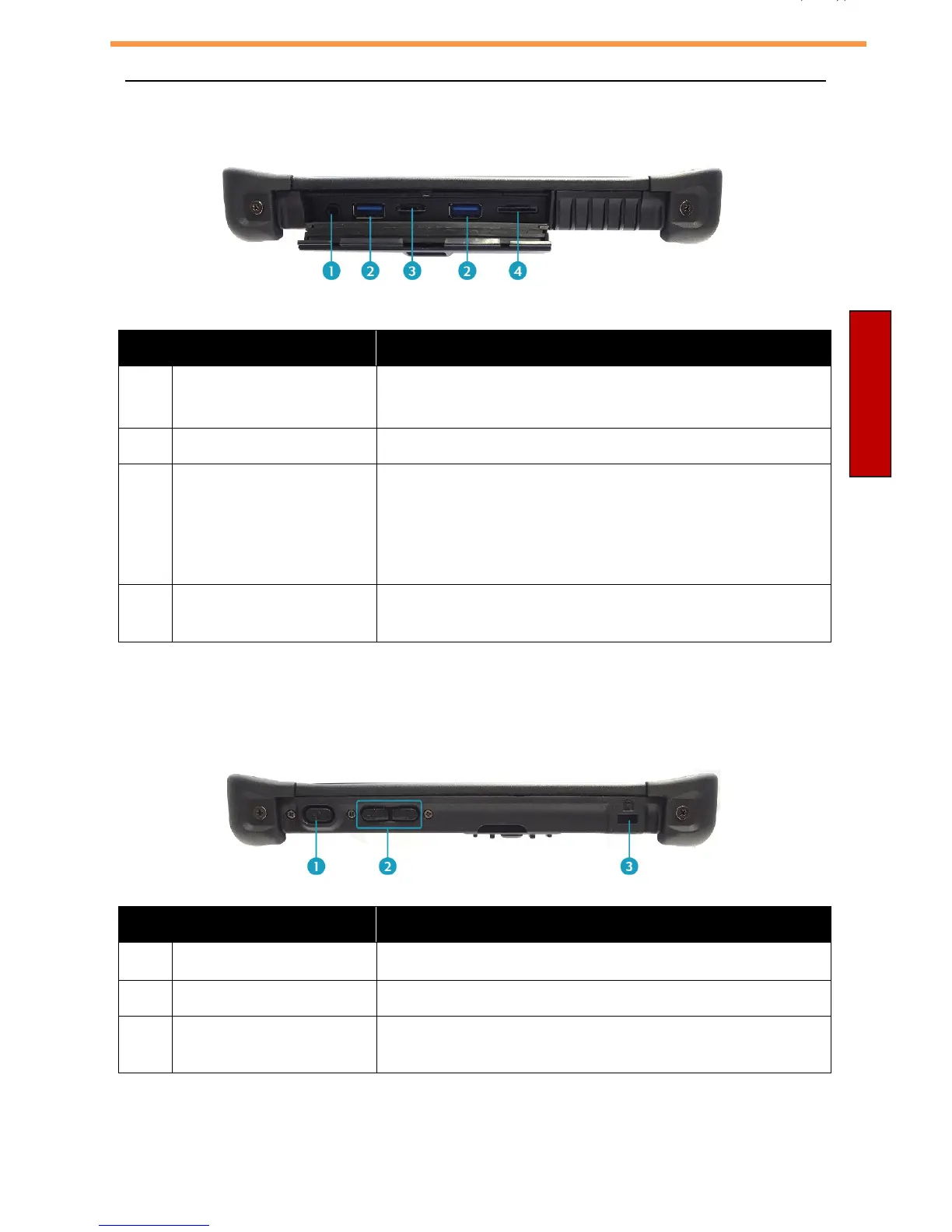
Audio Combo jack Connect a headphone/external speakers/
microphone.
2
USB 3.0 ports (x2) Connect USB peripherals.
3
Memory card slot Use to insert memory cards to transfer pictures,
music, and data between your xTablet T1600 and
other SD compatible devices. The card reader
supports SD (Secure Digital), SDXC, SDHC, Mini-
SD (with adapter), Micro-SD (with adapter).
4
Mini SIM card slot Use to insert a Mini SIM card for LTE activation if
ordered with LTE.
Left View
No.
Item Description
1
Power button Press to turn your xTablet T1600 on or off.
2
Volume buttons Press to adjust the volume level.
3
Kensington lock slot Connect a Kensington-compatible xTablet T1600
security lock.



 To Next Page