14 xTablet T1600 User Guide
Read Me First
Operating Your xTablet T1600
Operating Your xTablet T1600
This chapter will guide you on how to use your xTablet T1600.
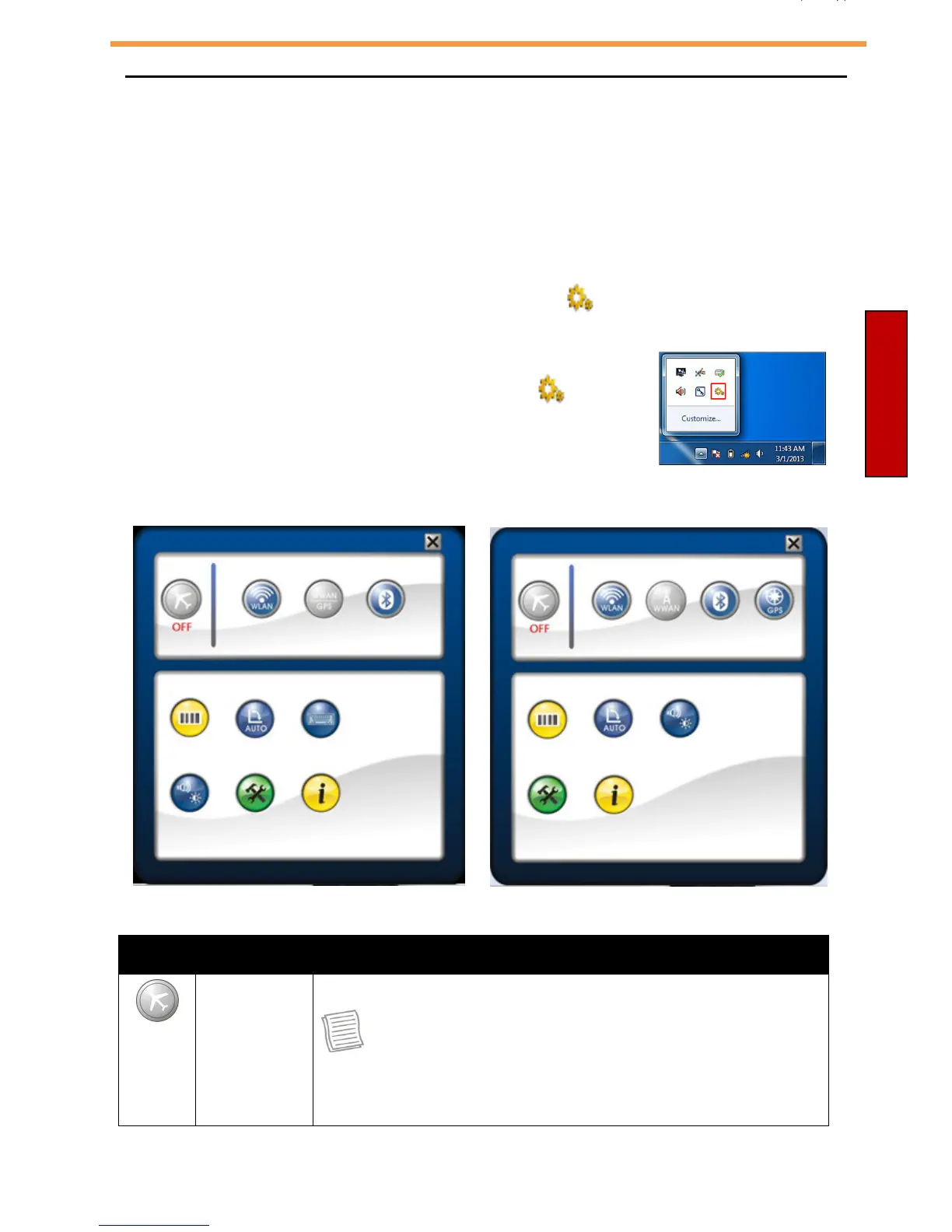
Using the Quick Menu
To enter the Quick menu:
•
On Windows 8: In Apps view, tap Quick Menu ( ). You can also access the
Quick menu on the task bar.
•
On Windows 7: Tap the arrow on the task bar to display
hidden icons. Then tap the Quick Menu icon ( ).
Quick Menu Overview
Windows 8 Windows
7
Icon Item Description
Airplane
mode
Tap the icon to enable/disable airplane mode.
NOTE
•
When the Airplane mode is enabled, the wireless
network (WLAN and WWAN), Bluetooth, and GPS will
be automatically disabled.



 To Next Page