xTablet T1600 User Guide 15
Read Me First
Operating Your xTablet T1600
Icon Item Description
WLAN
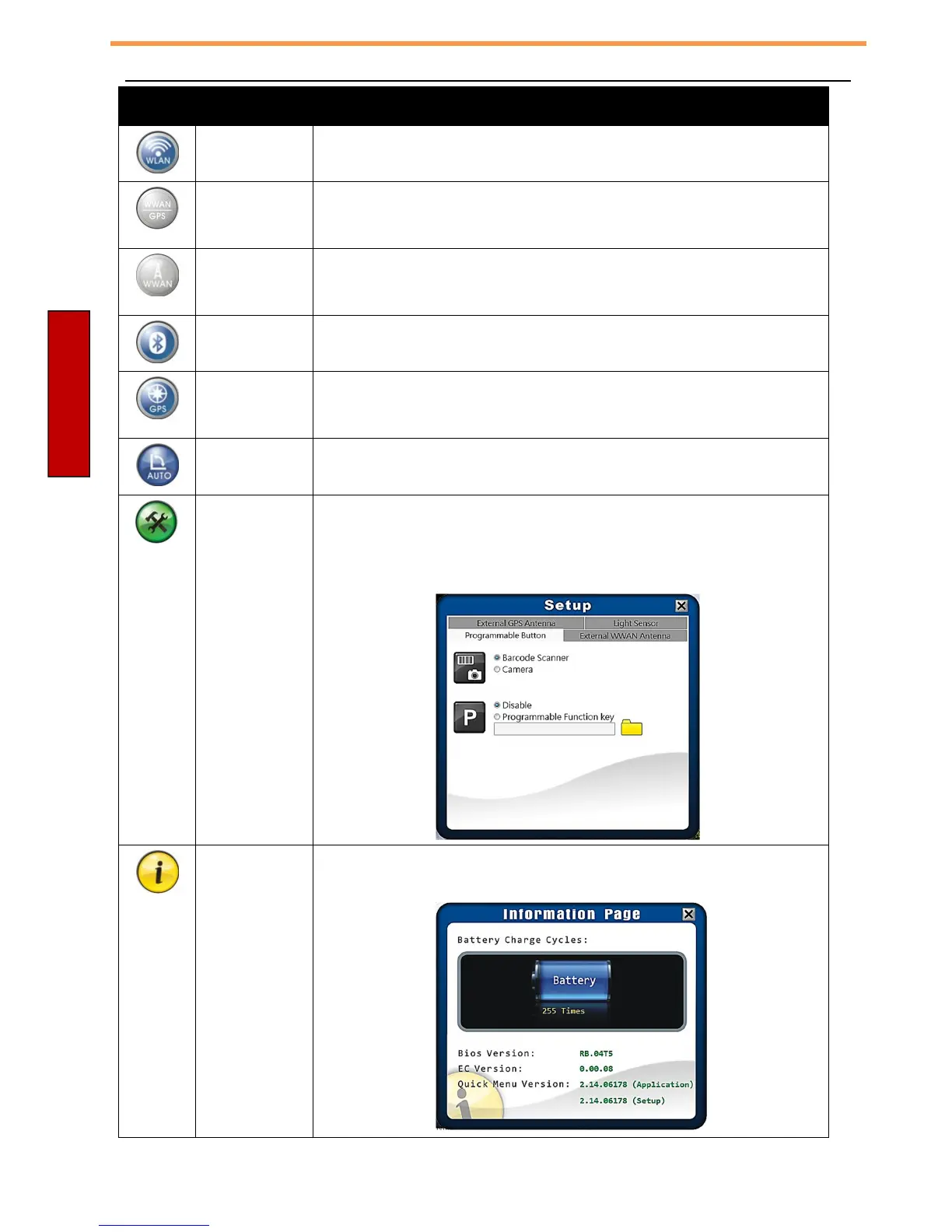
Tap the icon to enable/disable the Wi-Fi (WLAN) function.
WWAN/GPS
Tap the icon to enable/disable the WWAN/GPS function.
(Windows 7 only)
WWAN
Tap the icon to enable/disable the WWAN function.
(Windows 8 only)
Bluetooth
Tap the icon to enable/disable the Bluetooth function.
GPS
Tap the icon to enable/disable the GPS function.
(Windows 8 only)
Auto-rotate
Tap the icon to enable/disable the Auto-Rotate screen
function.
Setup Tap the respective tab to set P key, Barcode/Camera key,
light sensor, external GPS antenna, and external WWAN
antenna settings. For details, refer to “Configuring the
SETUP Menu Settings”.
Information
Tap the icon to view the battery charge cycle, Bios
version, EC version, and Quick Menu version.



 To Next Page