xTablet T1600 User Guide 35
Read Me First
Making Connections
Connecting to Bluetooth Peripherals
Your xTablet T1600 can connect and communicate with other Bluetooth-enabled
devices.
Connecting to a Bluetooth Device
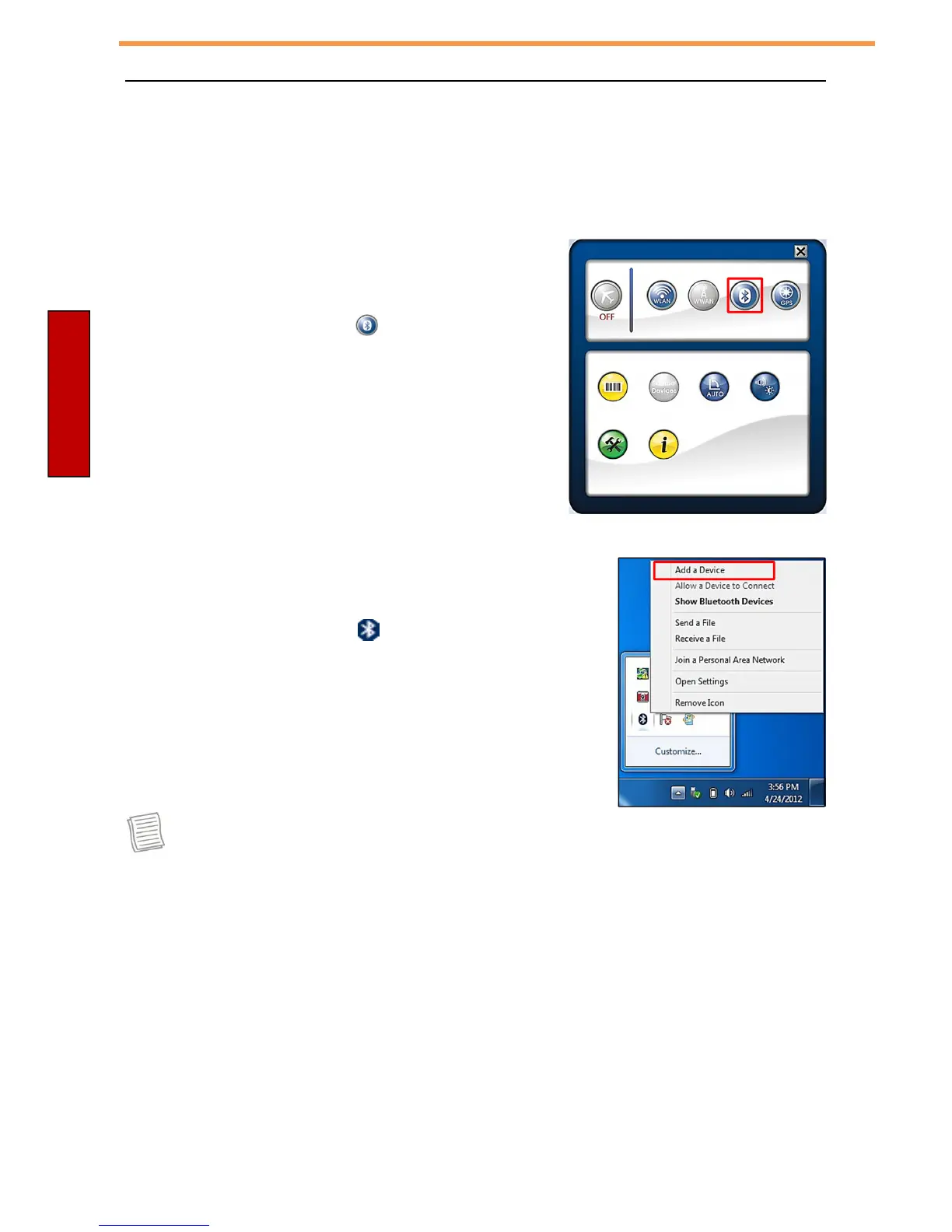
To add a device, follow the steps below:
1. Open the Quick menu.
2. Tap the Bluetooth icon ( ) to turn on the
Bluetooth function.
3. Tap the arrow on the task bar to display hidden
icons.
4. Tap the Bluetooth icon ( ).
5. Tap Add a Device. The system starts scanning for
Bluetooth devices and displays the available devices.
NOTE
•
If the device that you want to add does not appear on the screen, please
check to see if the device is turned on and discoverable.



 To Next Page