28 xTablet T1600 User Guide
Read Me First
Using the Camera
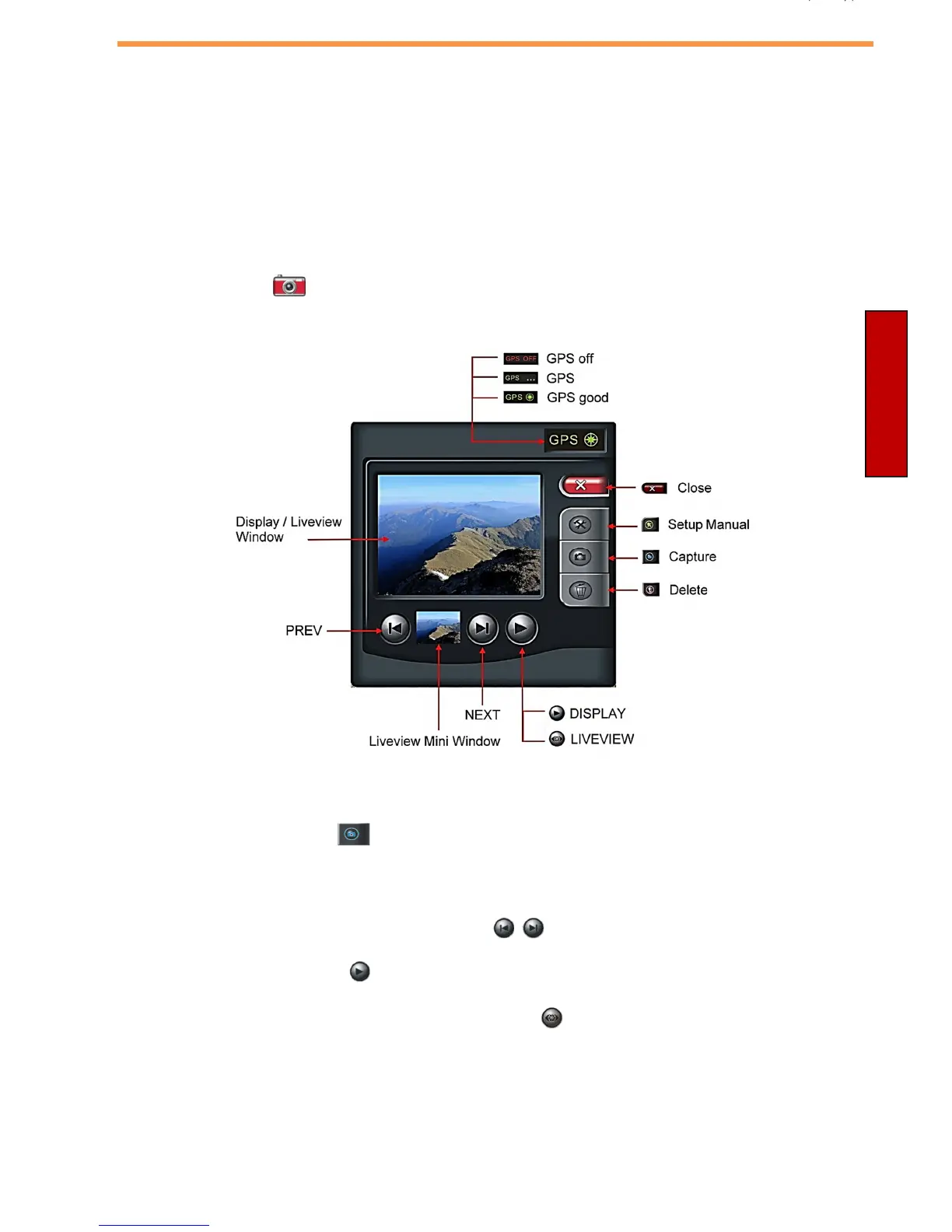
Camera Application
The xTablet T1600 supports a separate Camera application that enables users to
take photos.
There are two ways to launch the application:
•
Double-click on the desktop.
•
Tap Start > All Programs > Camera Application.
searching
Take Photos
Press the Record button to capture the pictures.
View Photos
•
Press the Forward or Backward button “ / ” to view the recorded photos.
•
Press the Play button “ ” to switch to Playback mode.
•
In Playback mode, press the Preview button “ ” to switch back to Camera
mode.



 To Next Page