xTablet T1600 User Guide 37
Read Me First
Making Connections
Connecting to a Wireless Local Area Network
Your xTablet T1600 comes with a WLAN (WiFi) module. A wireless network
can be added either when the network is detected or by manually entering
the settings information.
To connect, follow the steps below:
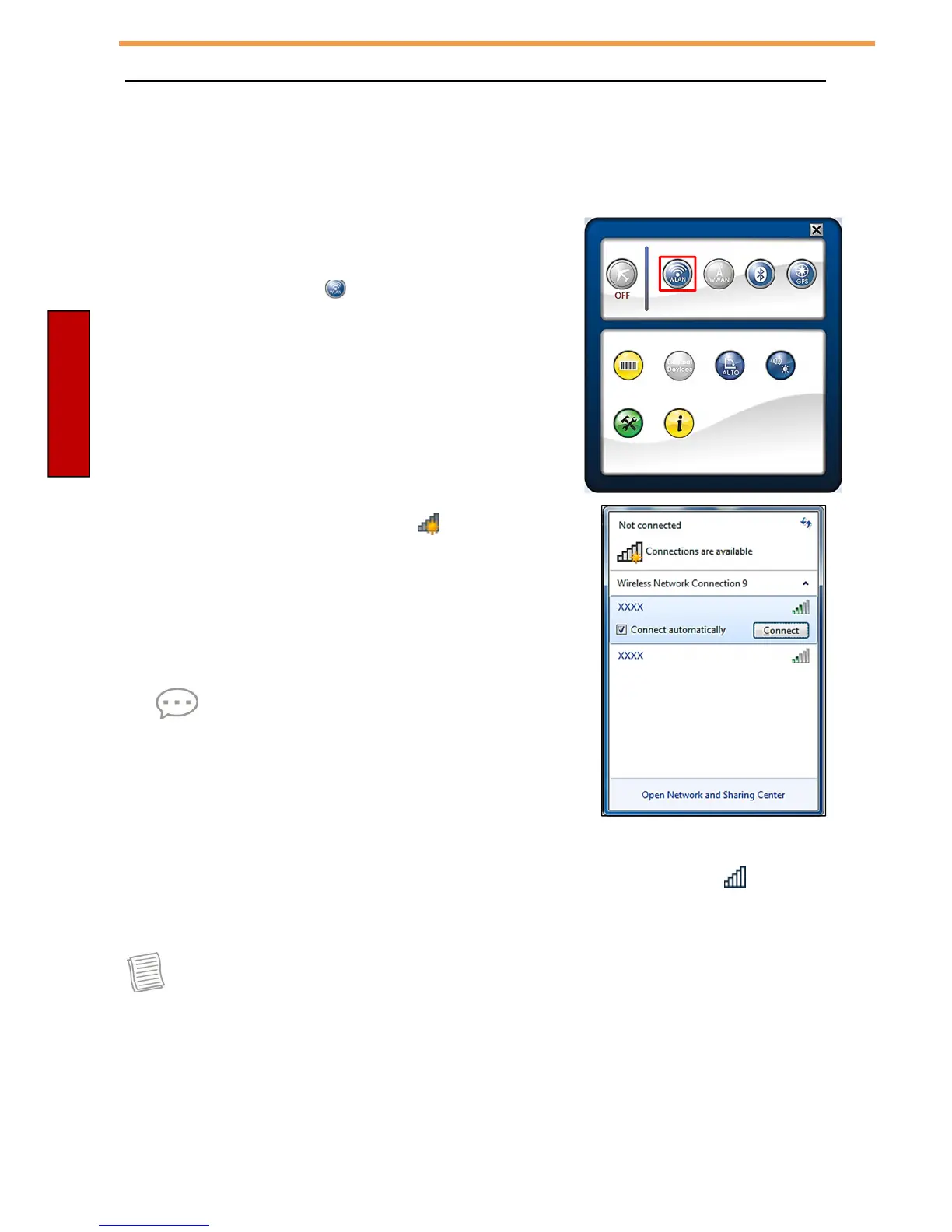
1. Open the Quick menu.
2. Tap the WLAN icon ( ) to turn on the wireless
network function.
3. Tap the wireless network icon ( ) on the
task
bar.
4. Available wireless network connections are
displayed. Tap the desired wireless network.
5. Tap Connect.
Some networks require a network security key or
a password.
TIP
Check Connect automatically box to
automatically connect to this network when it is
available.
6. Enter the network security key.
7. Tap OK.
8. After the connection is established, you can see the wireless icon ( ) in the
Notification area.
NOTE Actual wireless connectivity will depend on system configuration.
Please contact your network administrator for more information.



 To Next Page