xTablet T1600 User Guide 23
Read Me First
Tech Tip: I don’t want Windows to ask for my password
when I wake my tablet from sleep
We have noticed that even when we set the password to not prompt when the system awakes
from sleep, it still asks for a password. This causes users extra time to put in a password.
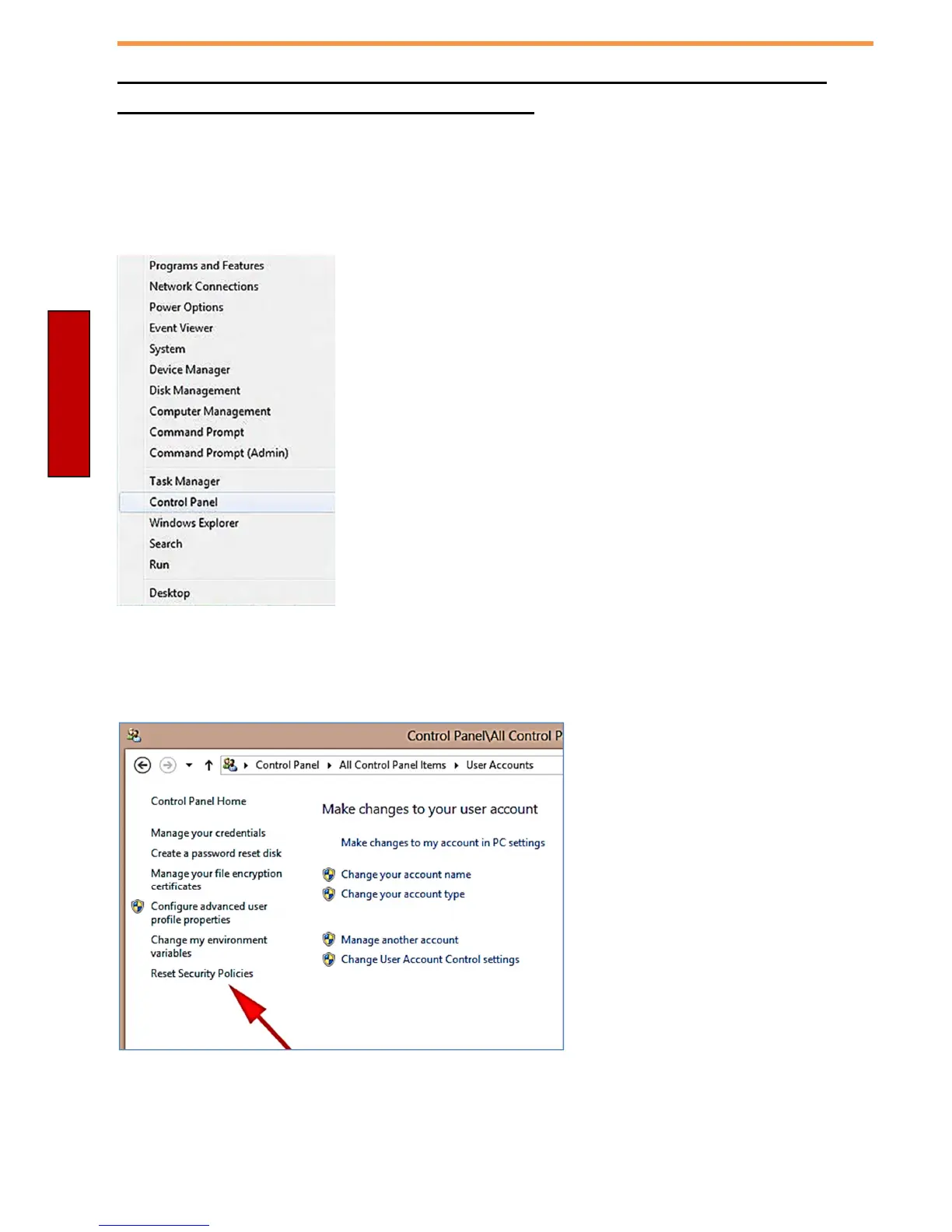
In Desktop Mode press and hold your finger on the Windows Start Logo in the bottom left
corner of the tablet
Select the Control Panel
Once in Control Panel, select User Accounts
Select Reset Security Policies
Now your settings will take affect
that you have set in Power
Management for the Password not
being required on wake from sleep.



 To Next Page