xTablet T1600 User Guide 25
Read Me First
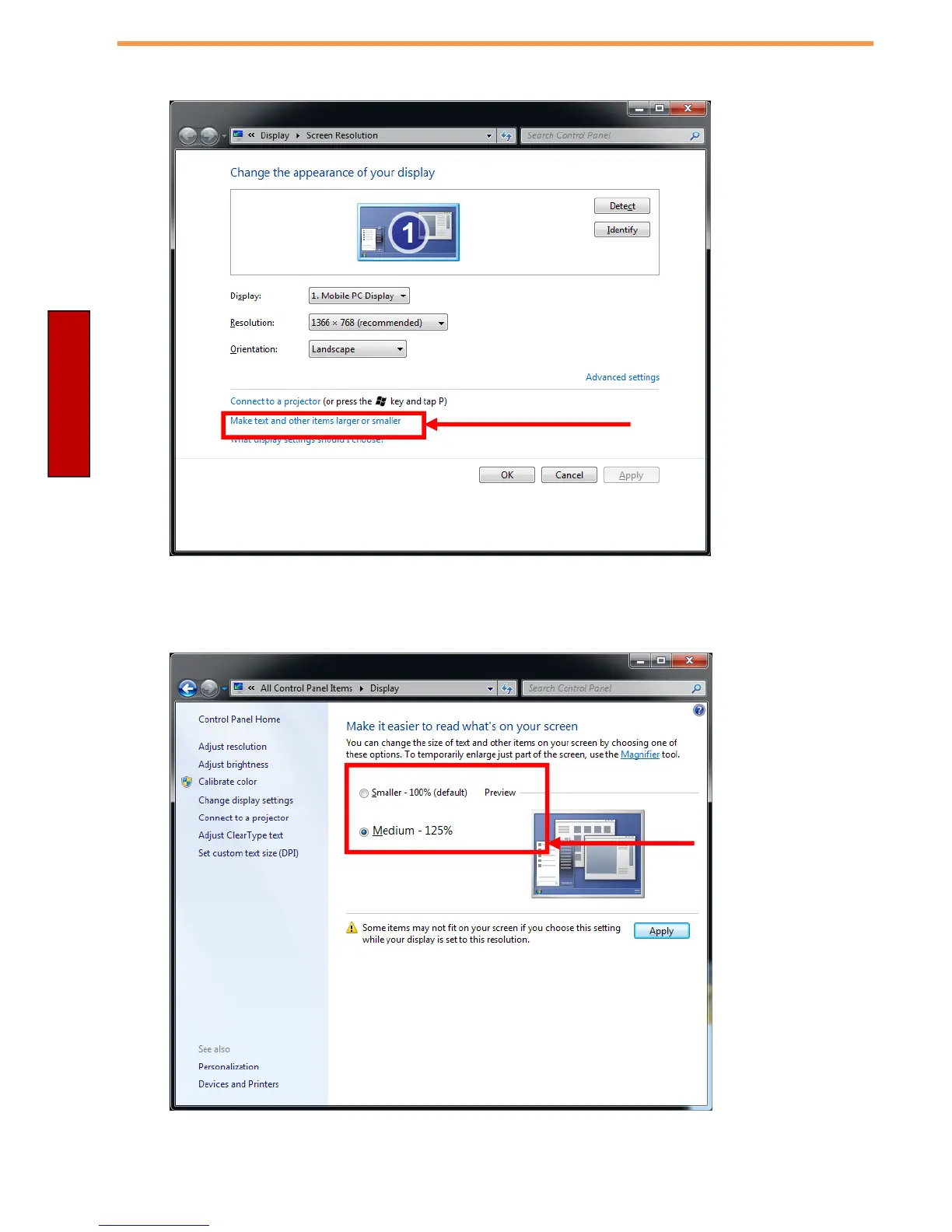
2. A “Screen Resolution” Window will show up. Select the “
Make text and other items
larger or smaller
” option in the window, as shown below:
3. A “
Display
” window will show up. Under “
Change the size of all items
” section, change
the scaling option to “
Medium – 125%
” or any other desired display scaling and hit
“
Apply
” to save changes, as shown below:
4. A prompt may show up to ask if you want to sign out to apply the scaling change. Hit
“
Sign out Now
” to apply changes, as shown below:



 To Next Page