30 xTablet T1600 User Guide
Read Me First
Operating Your xTablet T1600
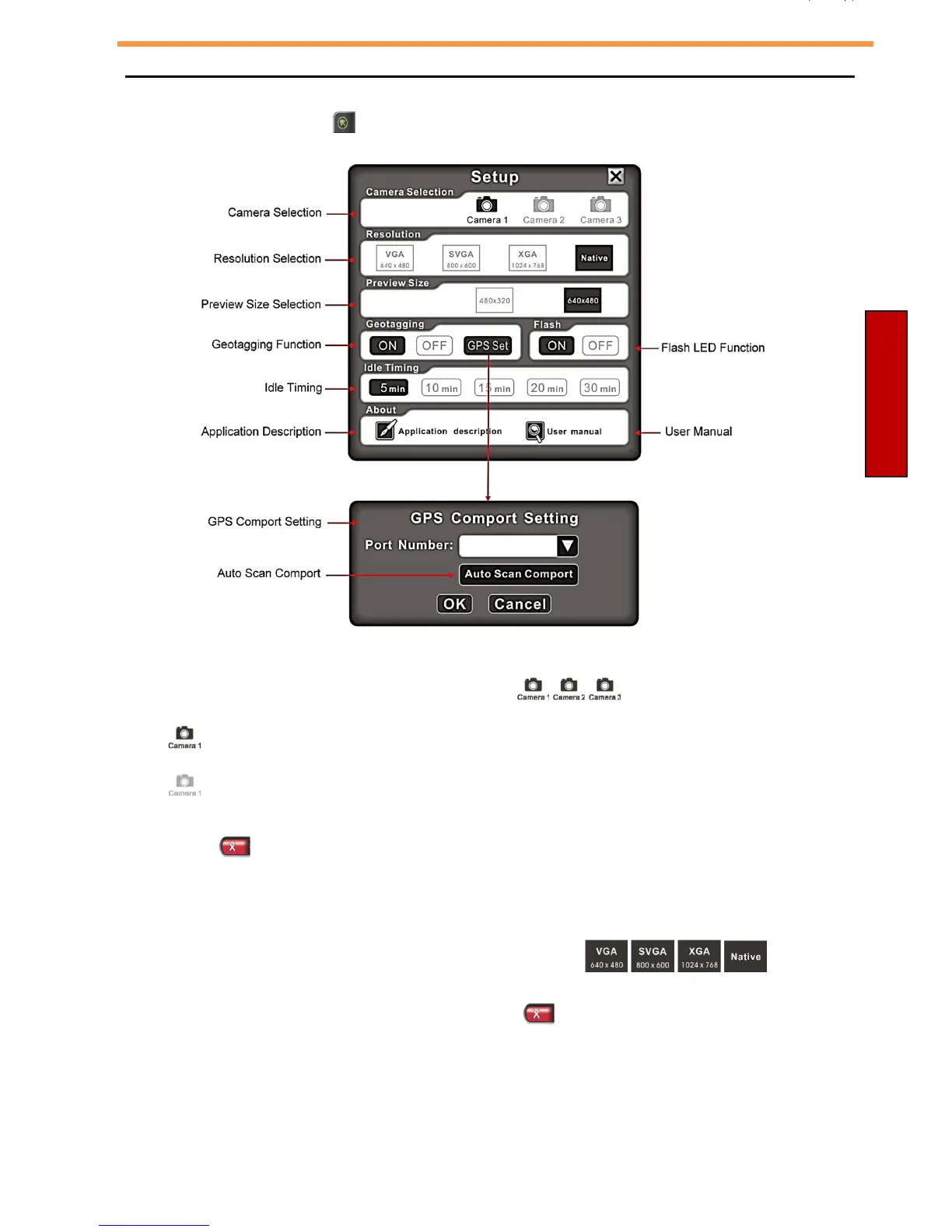
How to Change the Camera Setup:
Press the Setup button “ ”.
Camera Selection:
There are three cameras that you can select: .
•
“ ” – the camera is available and ready to use.
•
“ ” - the camera is not available.
Press the “ ” button after you have chosen the desired camera.
Resolution:
There are four resolution options that you can select: . If
the Camera does not support these four resolutions, a “Change Resolution Error”
message will appear on the screen. Press the “ ” button to exit. (Native:
maximum resolution)



 To Next Page