44 xTablet T1600 User Guide
Read Me First
Making Connections
Step Three: Connecting to your carrier
1.
Now that your Standard Size SIM is installed and it is associated with your carrier, you can connect with your carrier
.
2.
Power on the xTablet T1600.
3.
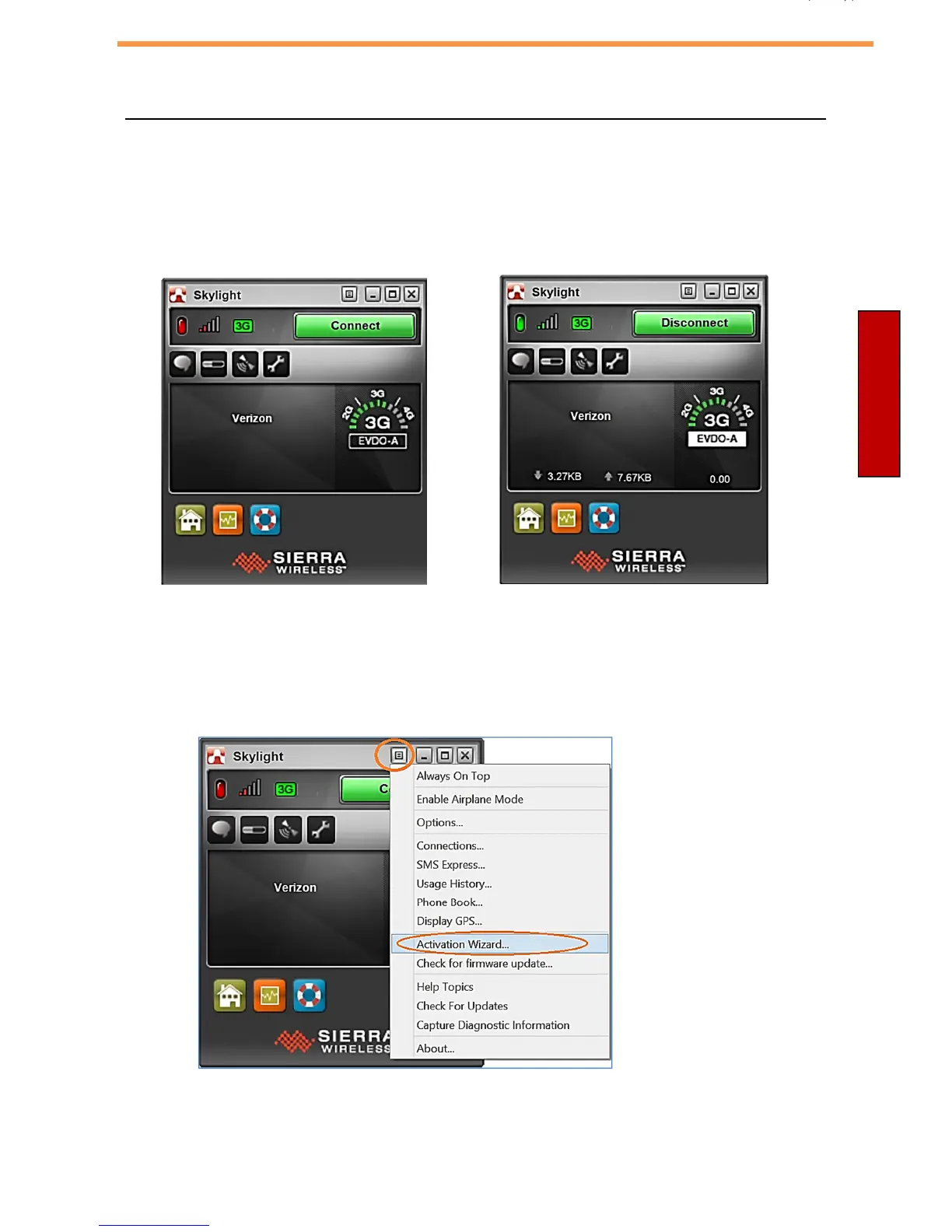
Click “Connect” to connect to the carrier. If this is the first time you have connected, there will be an automatic
activation in the back ground.
4.
You are now connected to your carrier. To disconnect from your carrier, press Disconnect.
5.
Note about Carrier Activation: When switching from one carrier to another, the automatic activation may not come up
because the software is under the impression the GOBI module is already activated. Follow these steps if you want
to run the Automatic Activation Wizard manually with your carrier.
6. Click on the icon shown at the top and select Activation Wizard. If you have an account with Verizon,
and you have a 4G Standard Size SIM installed, it will activate.



 To Next Page