52/112
D15 Camera Manual: Mounting
© MOBOTIX AG • Security-Vision-Systems • Made in Germany
www.mobotix.com • sales@mobotix.com
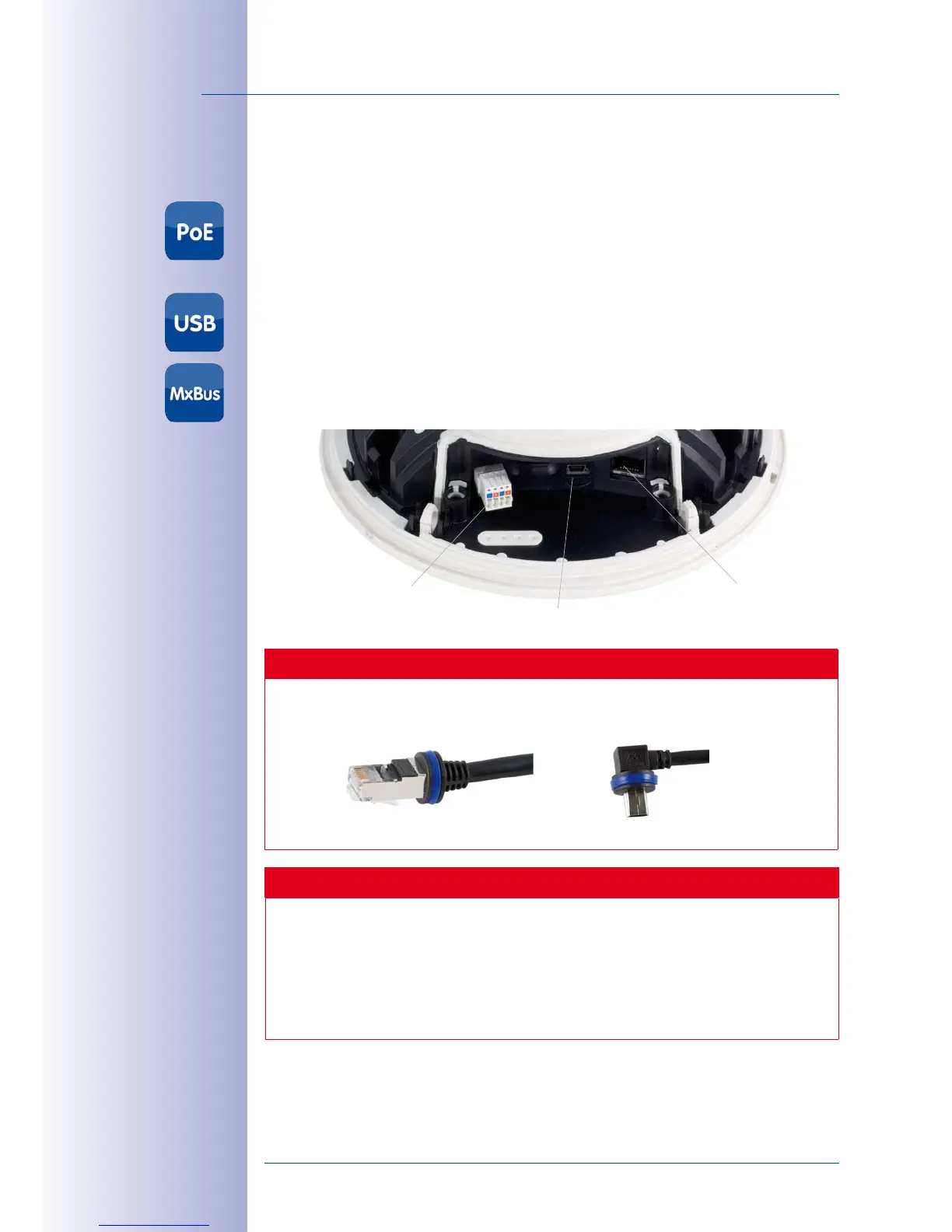
2.3.2 Overview of Cable Connections
The following cables can be used with the D15D:
•
MOBOTIX Ethernet cable
: This MOBOTIX cable is pre-installed at delivery and is
intended for direct connection to a network outlet or PoE switch. If the D15D is to be
installed outdoors, the MOBOTIX MX-Overvoltage-Protection-Box should be used
(optional accessory).
•
MOBOTIX USB cable with MiniUSB connector
: This MOBOTIX cable provides the
required impermeability, even in adverse weather conditions, and thereby prevents
corrosion of the connections.
•
Two-wire cables for MxBus modules
: These cables can be used to connect MOBOTIX
modules. The wires of this cable are led along the bottom of the camera and then
pushed through the sealing membranes and into the cable guides.
Caution
Only MOBOTIX cables
should be used
for the Ethernet and USB connection
to
ensure that the cable cover remains permanently sealed.
Ethernet
(network)
MiniUSB
Caution
Appliances with a maximum total power consumption of four watts may be con-
nected to the MxBus connector
and
USB connector
if power is supplied to the
camera using PoE class 3
. If
PoE Class2
is used,
the power consumption of all
the connected appliances must not exceed one Watt.
For information on changing the PoE class, see
Section 2.7.5, «Variable PoE»
.
MxBus
MiniUSB
Ethernet
Connection of additional
devices with more than
1 W (via MxBus/USB):
Max. ambient tempera-
ture +50 °C/+122 °F



 To Next Page