84/112
D15 Camera Manual: Operating the Camera
© MOBOTIX AG • Security-Vision-Systems • Made in Germany
www.mobotix.com • sales@mobotix.com
3.2.4 Starting the Camera with Factory (Network) Settings
In certain situations, it may become necessary to start the camera with its default set-
tings for the network (DHCP client and additional 10.x.x.x IP address) and for the
other parameters. This could be the case, for example, if the IP address has been lost
or the camera cannot be accessed using the last known IP address. In order to start the
camera with the factory default settings for all parameters (with the exception of users
and passwords), proceed as follows:
1. If the camera is powered on, disconnect the power supply by unplugging the cor
-
responding cables and then reconnect the power supply.
2.
After about ten seconds, the LEDs will light up and then flash for about four seconds
(first flashing), light up continuously and then start flashing again for about four
seconds (second flashing).
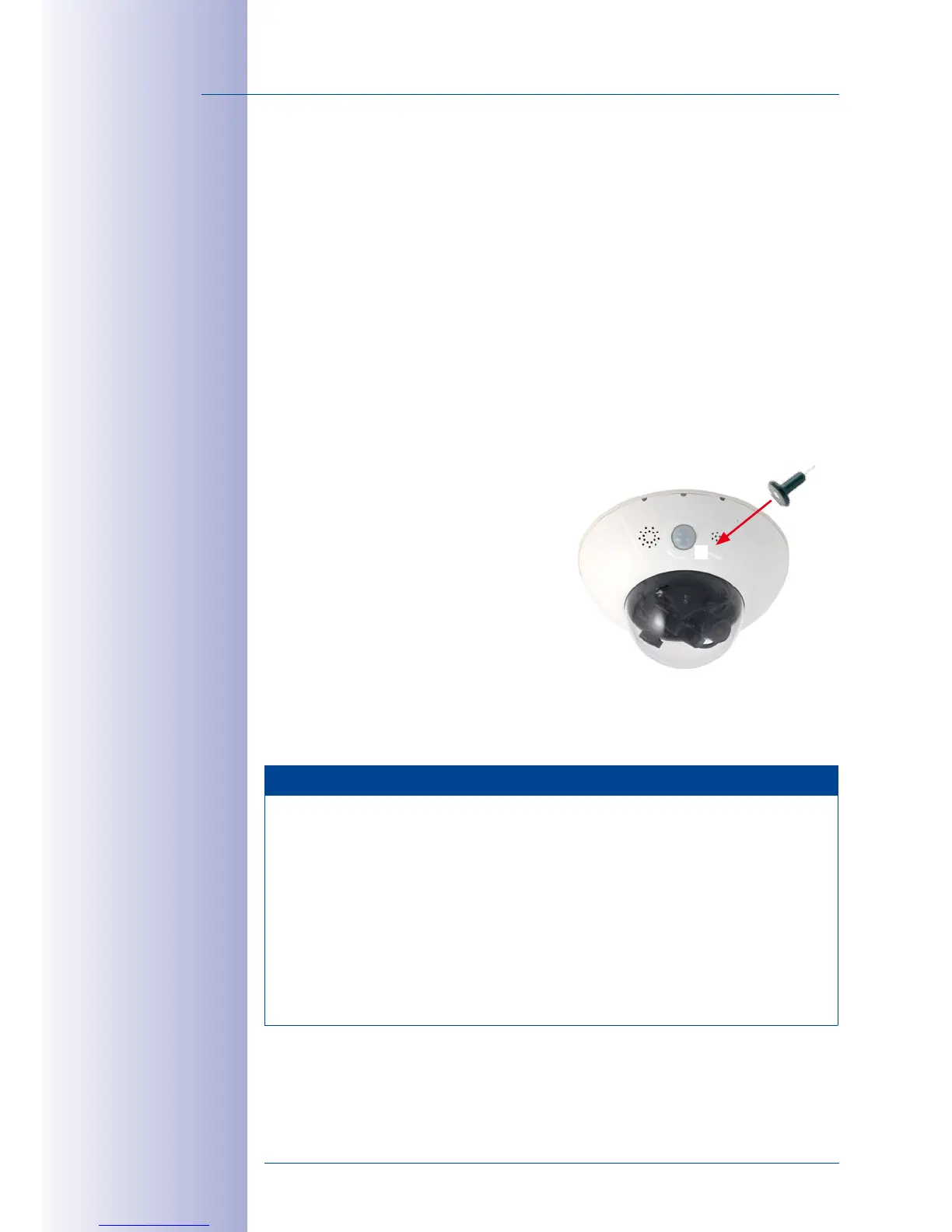
3. After the first flashing, press and
hold the magnetic side of the cus
-
tom tool over the spot above the
microphone labeled L in the figure
(if you need to try again, go back
to Step1).
4. If the speaker has been activated,
the camera emits a single sound
(“boing”) after about 30 to 45
seconds.
The camera has finished booting and can now be used (e.g., MxManagementCenter,
MOBOTIX App, web browser).
Notes
If you use the camera’s L key to load the factory configuration, this configuration is
not automatically saved in the camera’s flash memory. When the camera is next
rebooted without using the L key, the last stored configuration will be used. To per
-
manently store the new configuration in the camera’s flash memory, open Admin
Menu> Store. Note that you can restore specific parts of the camera configuration
afterwards by using “Restore” to re-apply the settings still stored in the camera.
As opposed to resetting the camera using Admin Menu> Reset configuration
to factory defaults, the user information will not be reset if the camera is booted
using the factory settings.
Passwords and cam-
era settings will
not be changed
2
3
4
1
L
Make sure you store
the default network
conguration to the
permanent ash memory



 To Next Page