63/112
Mounting the Camera with Outdoor Wall Mount
© MOBOTIX AG • Security-Vision-Systems • Made in Germany
www.mobotix.com • sales@mobotix.com
5. Make sure that you have properly fastened the three M4x25 Allen screws.
2.4.5 Connecting And Securing The Camera
1. Plug the camera connection cables into the appropriate wall outlets or adapters.
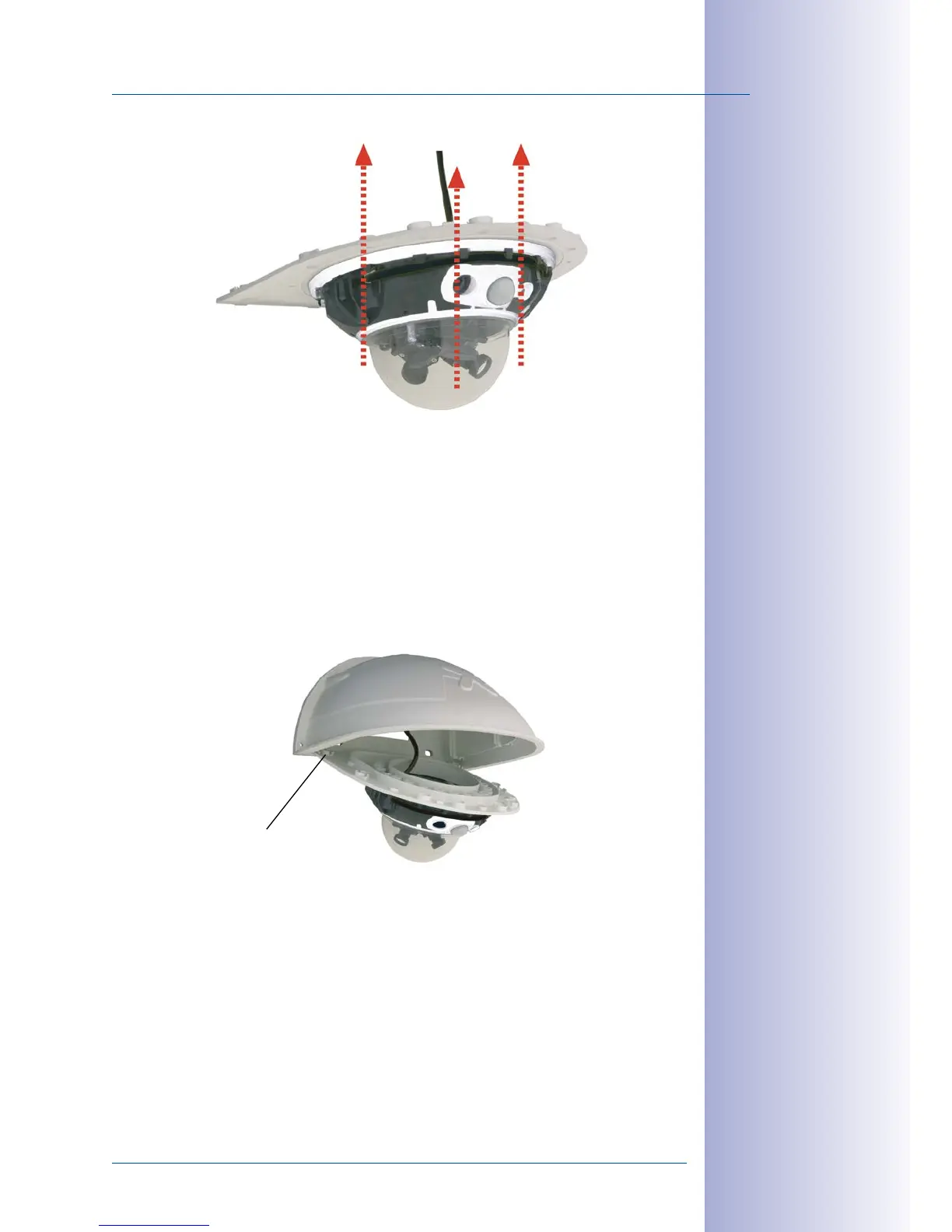
2. Insert the (straight) wall side of the bottom plate into the back of the wall mount
as shown in the figure.
3. Push the front of the bottom plate upwards.
4. Mount the bottom plate to the wall mount (eight M4x10 Allen screws) and make
sure the screws are all properly fastened.
Mounting the camera
on the bottom plate
Pushing the bot-
tom plate into the
Outdoor Wall Mount
Push into slots
Max. torque for all
Allen screws: 4 Nm



 To Next Page