83/112
First Images and the Most Important Settings
© MOBOTIX AG • Security-Vision-Systems • Made in Germany
www.mobotix.com • sales@mobotix.com
Adding Cameras
After a camera has been reconfigured, it has the status Accessible and can be integrated
into MxManagementCenter.
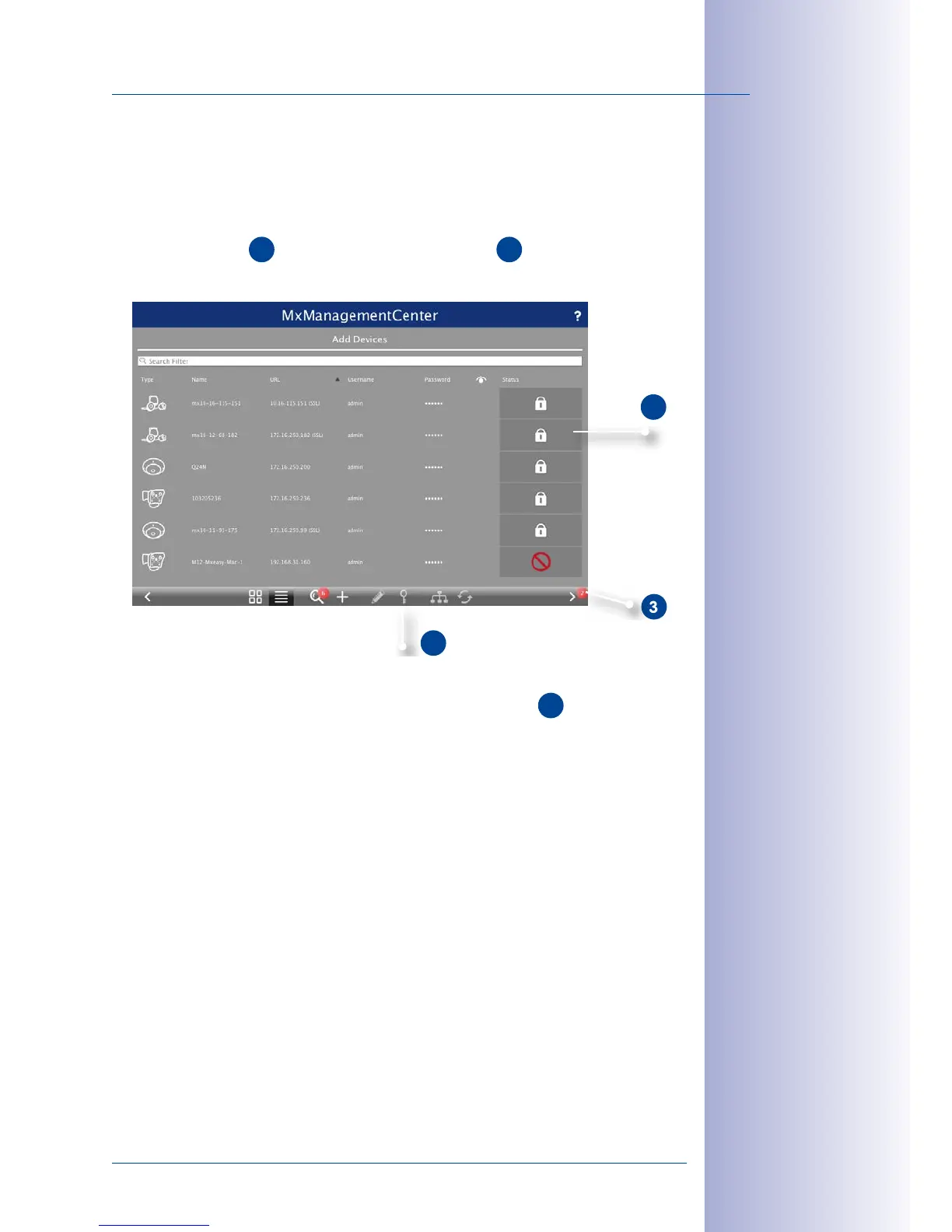
Select the desired cameras (use Cmd-click to select several cameras). If the cameras are
password-protected
1
, click on Edit User and Password
2
and enter the user name
and password.
The number of selected cameras is shown on the Next button
3
. Move to the next
page and click on Finish.
For more information, see the MxManagementCenter Tutorial, which can be downloaded
as a PDF file from the MOBOTIX website: www.mobotix.com> Support> Tutorials.



 To Next Page