65/164
Mounting The Camera Without Accessories
© MOBOTIX AG • Security-Vision-Systems • Made in Germany
www.mobotix.com • sales@mobotix.com
2.4.2 Required Tools
Please check that all components supplied with the camera are present in the original
packaging first (see section 2.2).
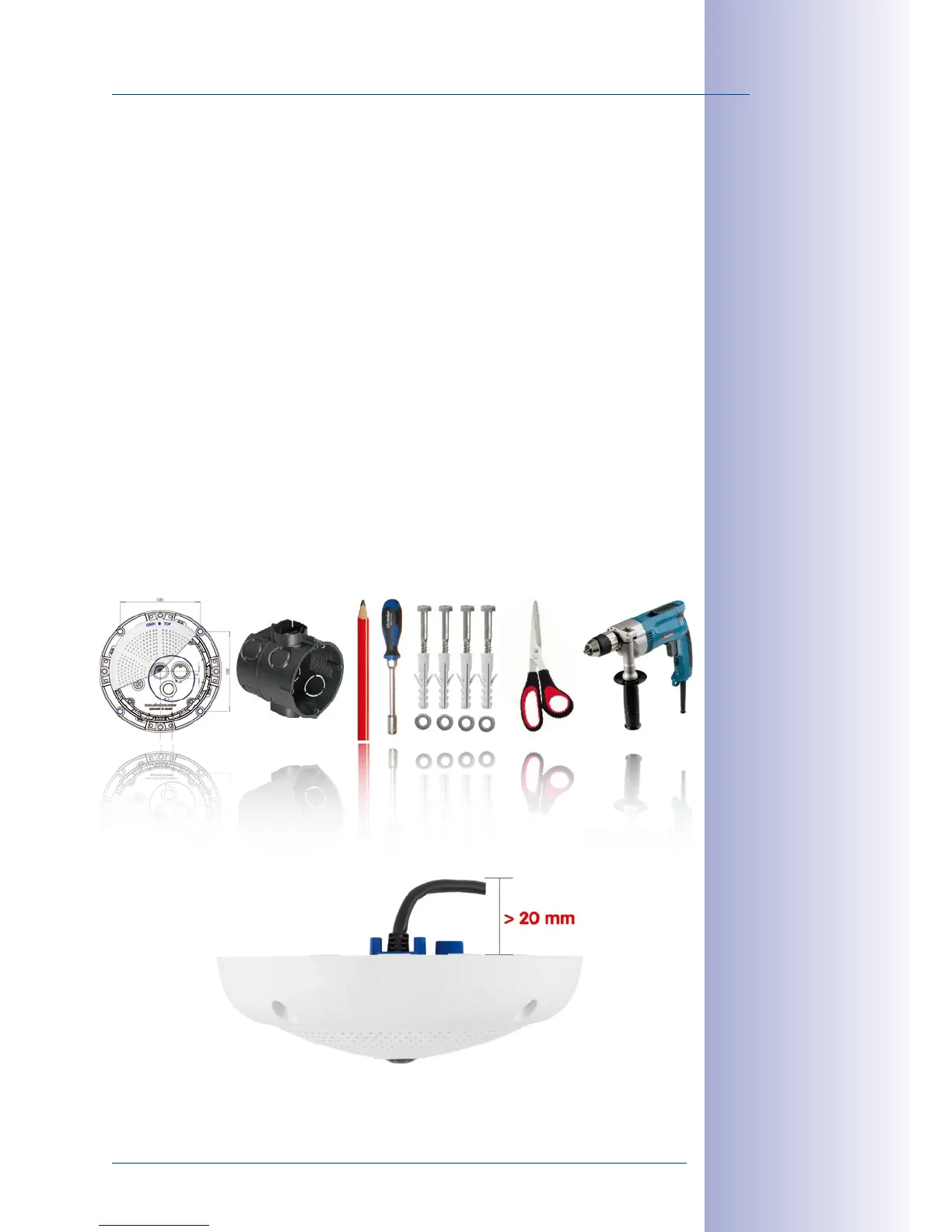
The Following Additional Tools Are Required For Installation:
• Any additional materials for fastening the camera to a ceiling/wall, if necessary – 4
wood screws incl. screw anchors and washers are included in the original packaging.
• Screwdriver
• Power drill for screw anchor holes needed for ceiling/wall mounting
• MOBOTIX Drilling Templates (at the end of this manual)
• Scissors to cut out the template
• Pen to mark the drill holes
•
Materials and any tools needed to connect the pre-installed MOBOTIX network cable
in the camera with the on-site network cable.
• Wall outlet and tools to install the outlet in the wall/ceiling (keyhole saw)
• Soft cotton cloth to clean the front of the lens
Q24M seen from
the side with cable
bent properly
Due to the space
required for cable and
connectors, we recom-
mend a ush-mounted
wall outlet with an
installation depth of
at least 20 mm/8 in



 To Next Page