letter means an inactive signal. The assignment is as follows:
'D' = DSR active, d '= DSR inactive
'R' = CTS active, r '= CTS inactive
'C' = DCD active, c '= DCD inactive
'I' = RI active, i '= RI inactive
To control the output signal lines RTS and DTR, the following characters are sent to the MC via the
network:
'D' -> Set DTR active, d '= DTR set inactive
'R' -> Set RTS active, r '= Set RTS inactive
6. RS422 / RS485: This is an "internal" mode, that must be set if the serial interface is equipped with a
special RS422 / RS485 interface IC. In this case, the RTS line is used to do the send and receive
switching.
8 Configuration of MC devices with an USB memory stick
It is possible to prepare USB memory sticks in such a way that they are recognized by the MC as a Config-
USB-Stick. A Config file with a complete setup and possibly a file with a specific firmware for the MC is
stored on the Config-USB-Stick.
8.1 Application for the Config-USB-Stick
The goal is to quickly replace a defective MC device with a different MC device by simply plugging the USB
Config Stick from the defective MC device into the replacement device. The replacement MC checks during
the boot process whether there is a firmware file on the stick, which differs from the firmware in the
replacement MC. If so, the firmware from the stick is first transferred to the replacement MC and flashed.
After the reboot, the config file of the USB Config-Stick is used for further operation. The replacement MC will
work with the same firmware and the same configuration as the original MC.
8.2 Initializing a USB memory stick
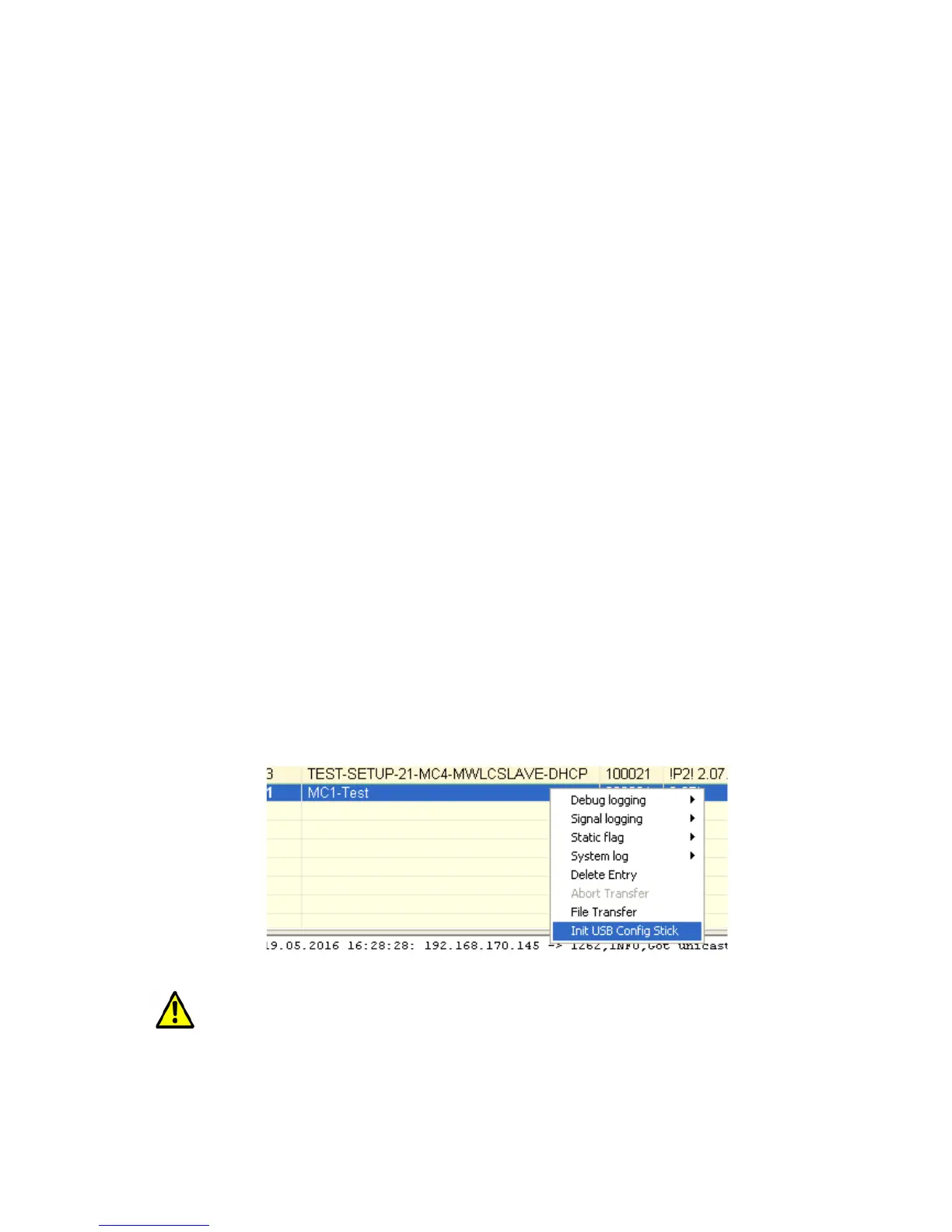
Initialization of the USB memory stick is done via the MC Config program. This function is enabled by a
parameter specified as an argument when the MC Config program is started.
This argument is: InitUsbConfigStick (case sensitive!)
An additional selection "Init USB Config Stick" appears in the context menu.
Attention!
When the USB memory stick is initialized, all data on the stick is deleted!
This command reformats the USB memory stick (ext4 format) and creates certain files, which make this
special stick recognizable as a config stick. One of these files is the config file currently available on the MC
device. After transferring the files, the MC is restarted. During the boot process, this stick is then recognized
as a config stick and the config file stored there is used for further operation.
MC Manual Version 2.10c



 To Next Page