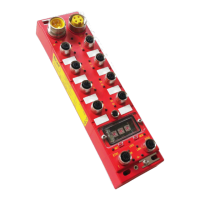
IP67 Digital I/O Modules for EtherNet/IP
Caution: If method 2 is used, don’t forget to set to “0” the Configuration Assembly data
size (see chapter I/O Data Mapping) to avoid overwriting the Quick Connect Attribute
during the I/O connection with the EtherNet/IP scanner (Forward Open request).
Note: After each change of Quick Connect mode (means enable disable), the HarshIO module stores
the new requested mode in its non-volatile memory. The module behaves in this mode until the next
modification.
Note: The modification of a Quick Connect mode is applied after the next power supply cycling of the
module or by sending a Reset command (CIP object 0x01, Instance 1 Service 5).


 To Next Page