14
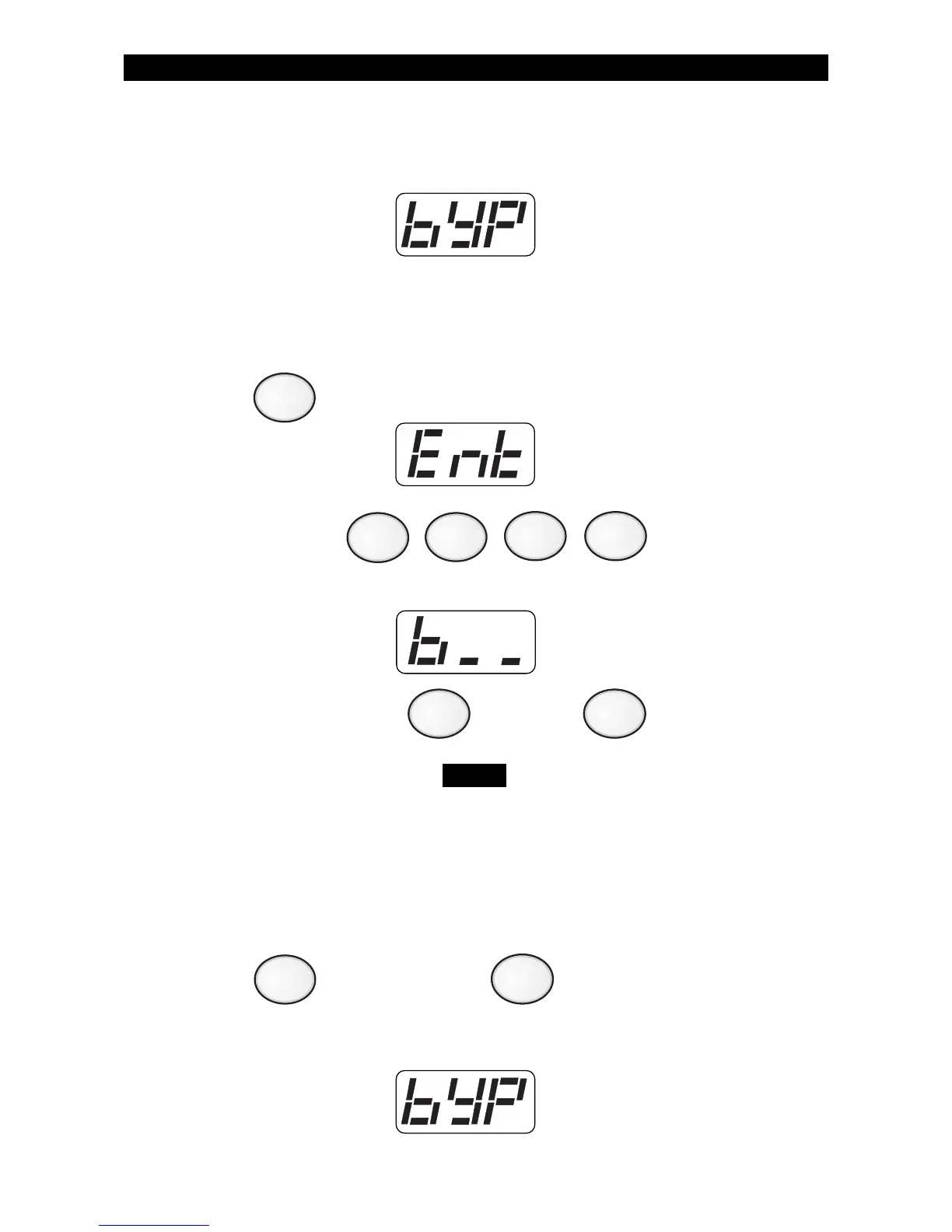
After saving any changes, the Control Station will return to the
READY prompt after briefly displaying:
Selective Bypass/Unbypass -
1. Press . The Control Station will display:
2. Enter passcode: .
The Control Station will display:
3. Enter the zone number , then press .
A letter ‘b’ in front of the zone number indicates that
the zone was bypassed. A letter ‘u’ in front of the
zone number indicates that the zone was unbypassed.
Repeat step 3 for each zone you wish to bypass or unbypass. See
Protection Zones for a list of zone numbers and descriptions.
4. Press to save changes or to cancel changes.
After saving any changes, the Control Station will return to the
READY prompt after briefly displaying:
OPTIONAL FEATURES
(to intentionally bypass/unbypass
a specific zone)
4
CLEAR
ENTER
NOTE
ENTER



 To Next Page