29
TESTING YOUR SYSTEM
RF Signal Strength (ZX400/ZX410 only)
If your system includes wireless sensors, then you can test the strength
of signals from these sensors by performing an RF Signal Strength test.
The strength of a signal can be affected by a low battery condition on
the sensor or changes in the environment due furniture or appliances.
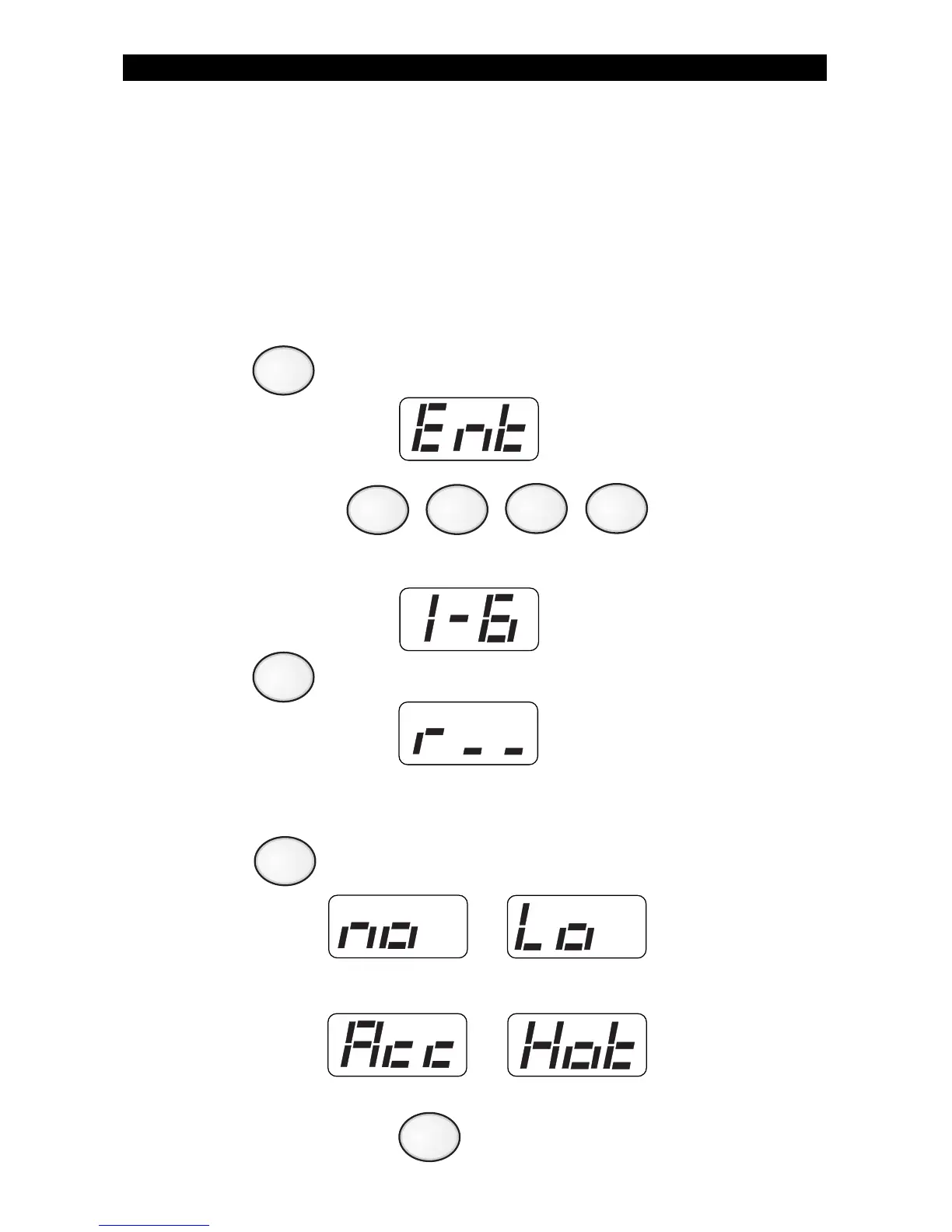
To test the signal strength of selected RF Zones:
1. Press . The Control Station will display:
2. Enter passcode: .
The Control Station will display:
3. Press . The Control Station will display:
4. Enter a number between 13 and 28 to select a wireless sensor to
test. See Protection Zones for a list of zone numbers and descriptions.
Press . The Control Station will briefly display one of the
following:
5. Repeat step 4 or press to exit.
8
6
CLEAR



 To Next Page