OperatingtheDigifold
SettingtheDeliveryConveyorSystem.
WARNING:-
TheDigifoldwillstartifthedeliveryunitisnotfittedontothemachine.not
Turningthedeliverysystem‘on’or‘off’
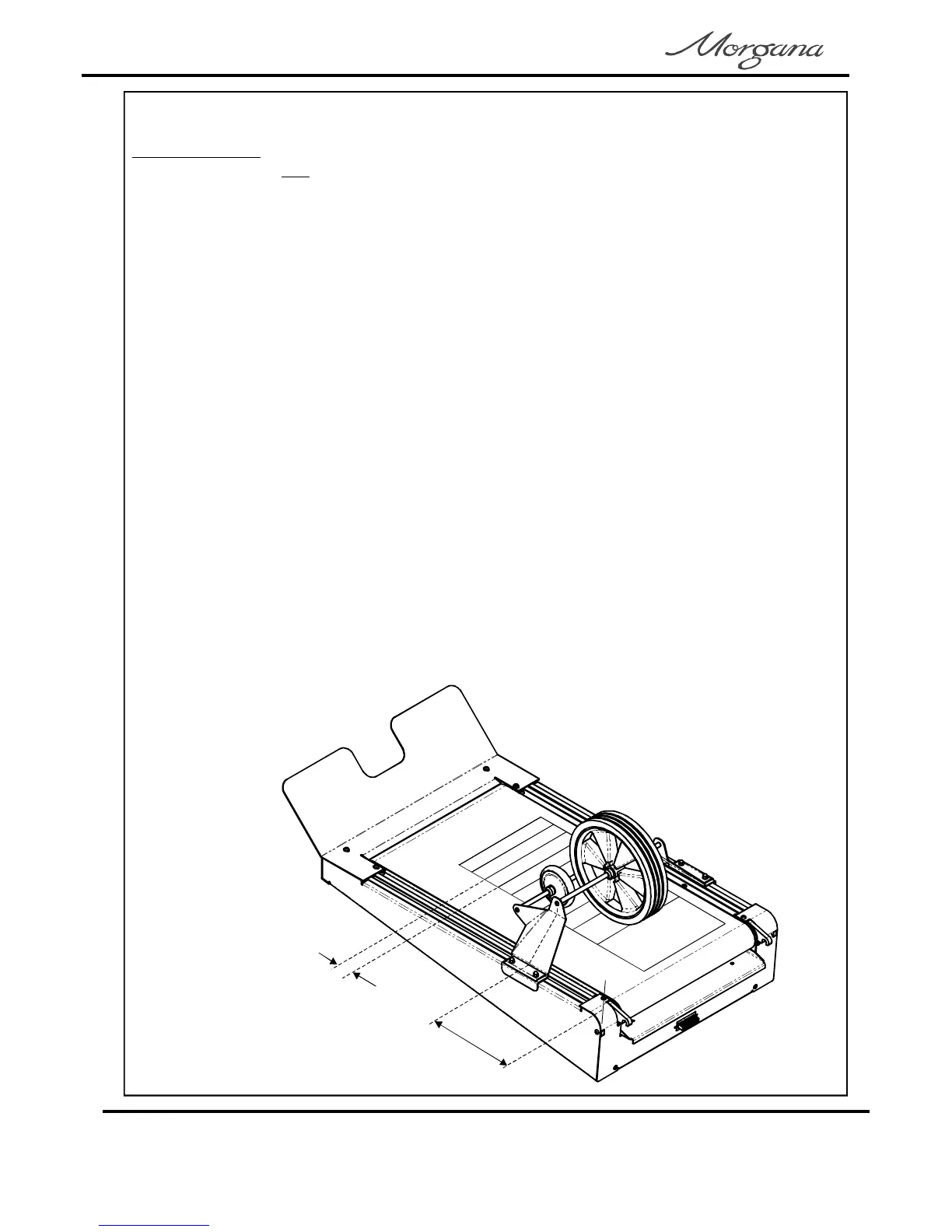
AdjustingtheRollerPositionandShingleLength.(SeeFIG19.1)
1.SettheSetUpswitchtoitsmid-position.
2.TurntheSettingDialuntilthedisplayreads‘dELrY’onoroff.
3.FlicktheSetUpswitchupwardstotogglebetween‘on’and‘off’.
Ifthedeliveryisturnedofftherollerwillfeedtothefarendofthebeltconveyorandpark
thereuntilturnedonagain.
Ifthedeliveryisturnedonwhenusingthe‘SetbyFold’modeofoperation;theRoller
Position(rPoS)andShingleLength(Shin)areautomaticallyset,relativetothepaper
lengthandtypeoffoldselected.
1.FlicktheSetUpswitchdown.
2.TurntheSettingDialanti-clockwiseto‘rPoS’(rollerposition),or
‘Shin’(shinglelength)asrequired.
3.PressandholdpushbuttonPB1andturntheSettingDial,thenumbers
displayedarepreselectedlengthsinmillimeters(toreducesettingtimes).
4.Whentheoptimumsettingsfor‘rPoS’and‘Shin’areachievedtheycanbe
storedwiththejob(seeStoringProgramsonpage22).
Whenusingthe‘SetbyPosition’modeofoperation;theRollerPosition(rPoS)andShingle
Length(Shin)mustbeadjustedmanuallytosuitthejob,asdescribedbelow.
‘Shin’
(ShingleLength)
‘rPoS’
(RollerPosition)
FIG19.1
Page20
CREASING/FOLDING



 To Next Page