TroubleShooting
Papernotfeeding
!
!
!
!
Checkthatthepaperstackisnottoohighortooheavyforthefeeder.Theheightof
thepaperstackshouldbedefinedbytheweightandthesizeofthestockbeing
creased.
Ensurethattheadjustablesidelayisnotpressedagainstthepaperstack.However,
iftheclearancebetweentheadjustablesidelayandthepaperstackistoogreat,the
airsupplywillescapeinsteadofblowingthroughthepaperthusmakingitdifficultto
feed.
Checkthattheclearancebetweenthepapergateandthesuctionrollerisnotsettoo
low.
Ondigitalmedia,thefeedingperformancemaybeimprovediftheleadingedgeof
thestackistrimmedbeforeloadingontotheDigifold.
!
!
!
Checkthattheairdistributionhasbeencorrectlyset.
Checkthattheairseparationhasbeensethighenoughtofeedthesheets.
Forheavystocks,verysmallorverylargesheets,embossedorevenirregularstock,
itmaybenecessarytofeedthesheetsmanually-seepage23
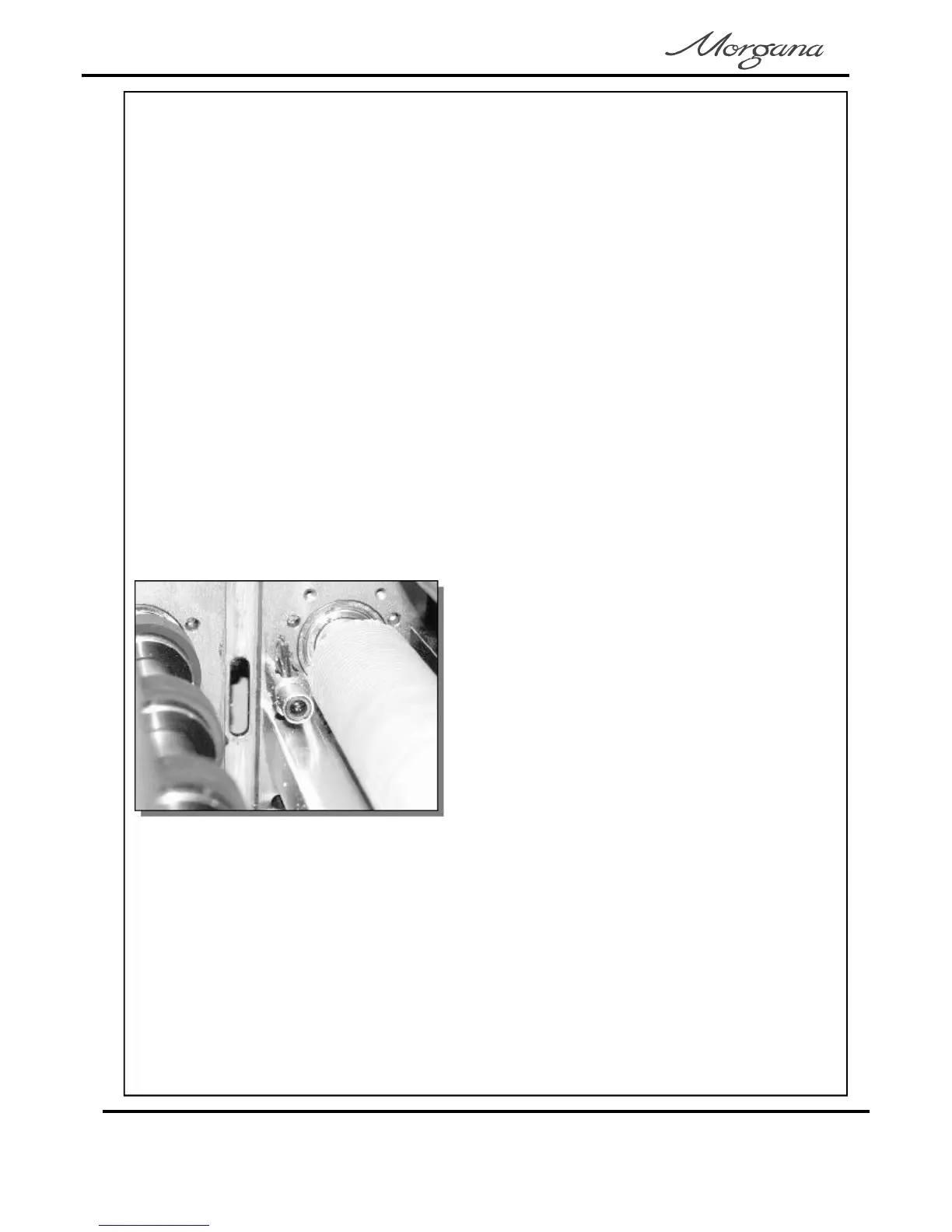
Machinenotcounting
! Openthetopandremovethebladeset
(seepages27-28)toaccessthedual
sensorpostlocatedinbetweenthedrive
rollers.Usingasoftbrush,cleanthe
visiblesensorontheendofthepost.
Usethebrushtocleanthesensors
betweenthepostandthebottompaper
guidewhicharenotvisible.
Photograph(left)showsthedualsensor
postcontainingthesensors.
CrackingofthePrintedMaterialalongtheCrease.
Crackingofthematerialalongthecreasemaybecausedbythefollowing:-
Pressuretooheavyonthetopblade-reducepressure.
Creasetoonarrowforheavystock-changethebladetothestandardbladeset(part
number).
Crackingononeedgecausedbymisalignmentoftheanvilandblade-realignblades
usingcamsatsides(seeFIG26.1onpage27).
!
!
!
76-213-01
Page30
CREASING/FOLDING



 To Next Page