OperatingtheDigifold
AdjustingtheBatchCount
TheBatchCountercontrolsthefeedofthemachine.
IfforexampletheBatchCountissetto10;themachinewillfeed10sheetsofpaper,pause
forapproximately5seconds,theconveyorbeltwillfeedthe10sheetsforward(toallowthe
removalofthesheetsfromtheconveyor)andthenfeedthenext10sheetsofpaper.
Thebatchcountissetasfollows:-
1.SettheSetUpswitchtoitsmid-position.
2.TurntheSettingDialuntilthedisplayreads‘bAt’.
3.PressandholdpushbuttonPB1,andturntheSettingDialtosetthebatch
quantityrequired.(thebatchquantitychangesinmultiplesof10)
Beware, ifpushbuttonPB1isnothelddown,thedisplaywillregisterthe
adjustmenttothebatchquantitybutwillnotchangewithintheprogram.
4.TheBatchCountcanbestoredwiththejobifrequired(seeStoringPrograms
onpage22)
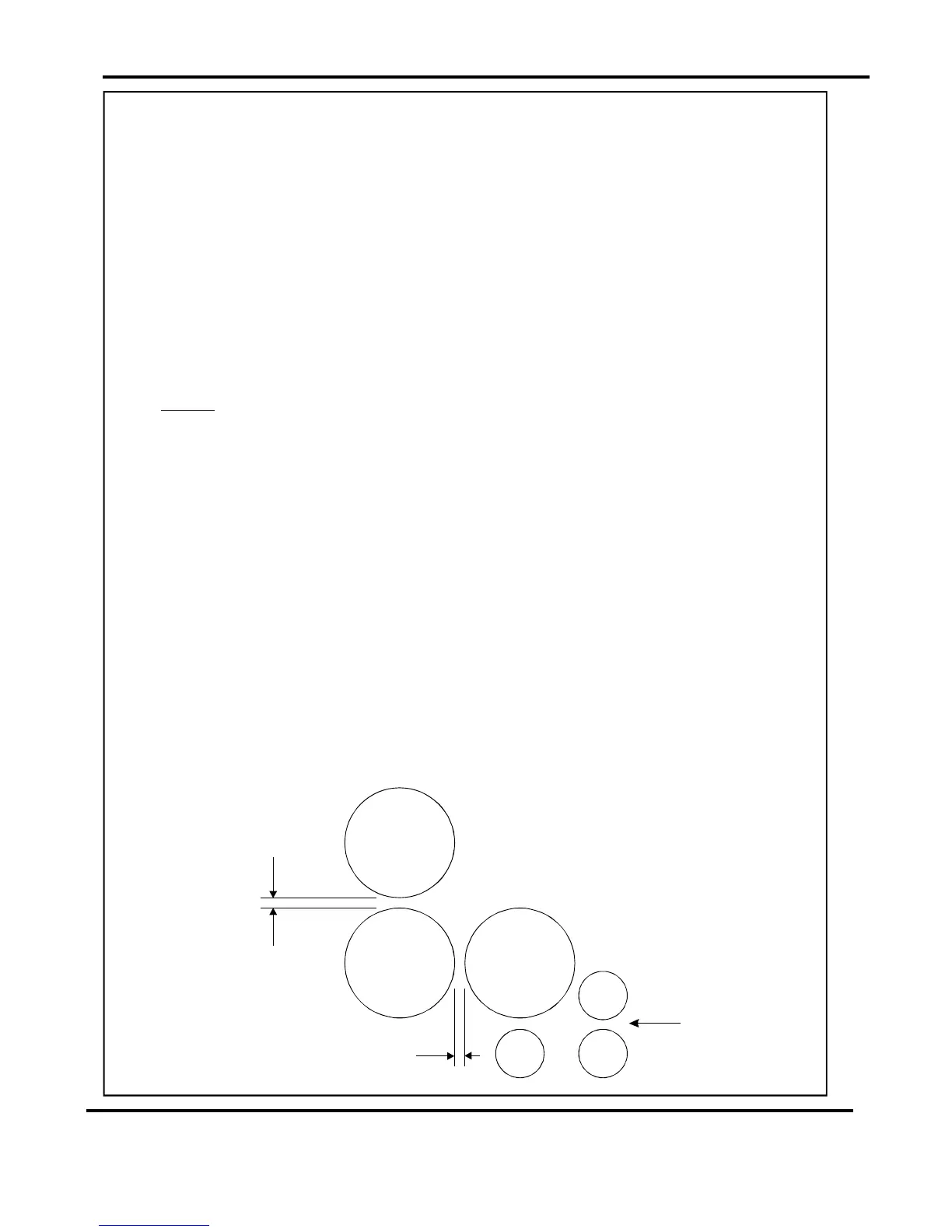
TheRollerGapadjuststhegapbetweenthelargefoldrollers,(seeFIG20.1).
TheRollerGapmayrequireadjustmentifthickpaperisbeingfolded,orifcrackingofthe
printisnoticeable.
TheRollerGapisadjustedasfollows:-
1.SettheSetUpswitchtoitsmid-position.
2.TurntheSettingDialuntilthedisplayreads‘rG0000’.
3.TheRollerGapsareadjustedbyturningthe‘FoldGap1’or‘FoldGap2’knobs
ontopofthefolderunit.(theRollerGapchangesinincrementsof0.05mm)
NOTE.
AdjustingtheRollerGap
RollerGap2
RollerGap1
INFEED
FIG20.1
Page21SYSTEM



 To Next Page