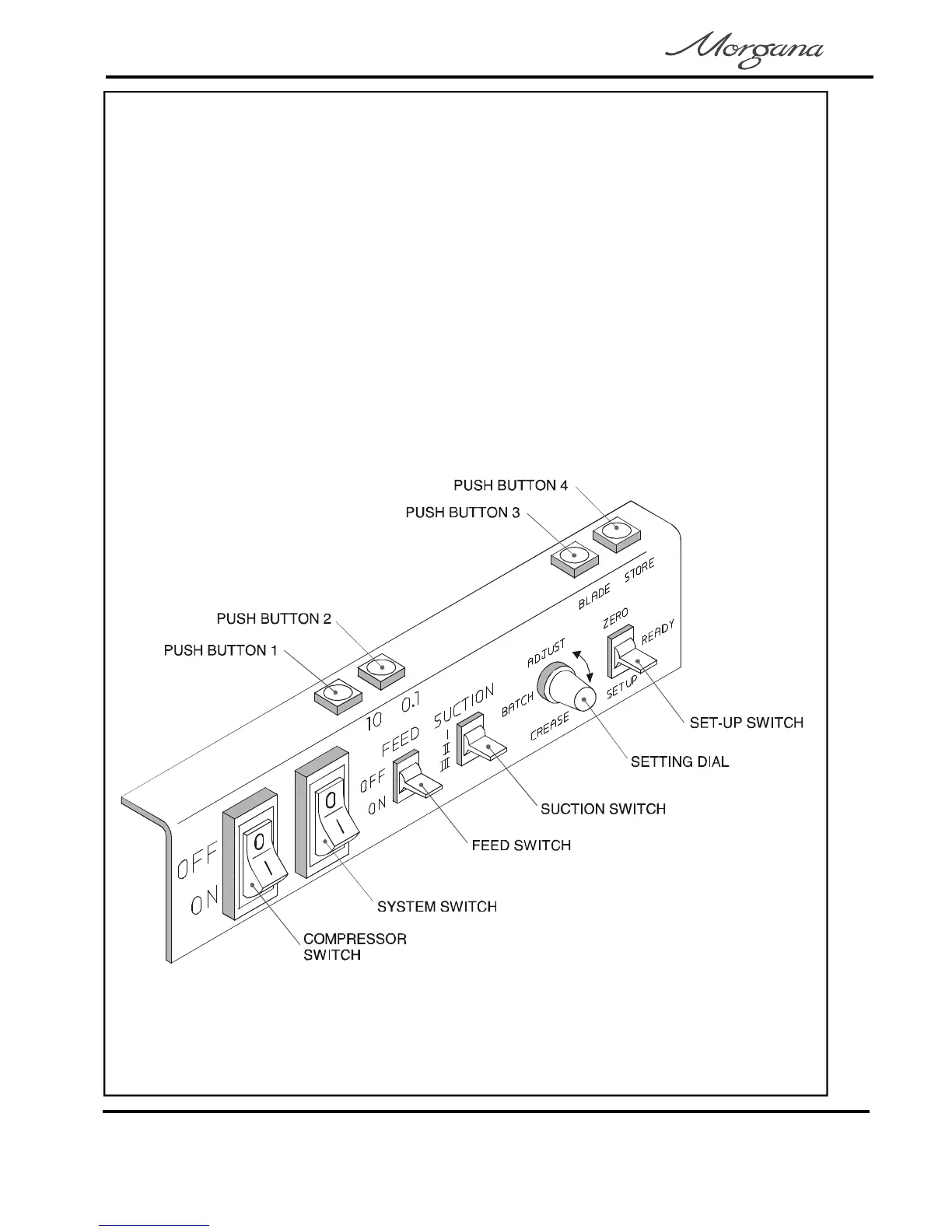
TheControlPanel
TheControlPanelontheDigifoldallowstheoperatortoread,edit,create
andinitiatenumerouscreasing/foldingprogramswithinthememory.
Thetopfaceofthecontrolpanelhousesfourpushbuttonsasshowninthe
diagrambelow.Forthepurposesoftheinstructionsthesebuttonswillbe
describedas.
ThefrontfaceofthecontrolpanelhousestheCompressorswitch,
Systemswitch,Feedswitch,Suctionswitch,SettingdialandSet-upswitch.
UnderthecontrolpanelisanindustrystandardEmergencyStopswitch
whichwillstopallpowergoingtothemachinewhenactivated.
PushButtons1,2,3,4
Page6
CREASING/FOLDING



 To Next Page