16
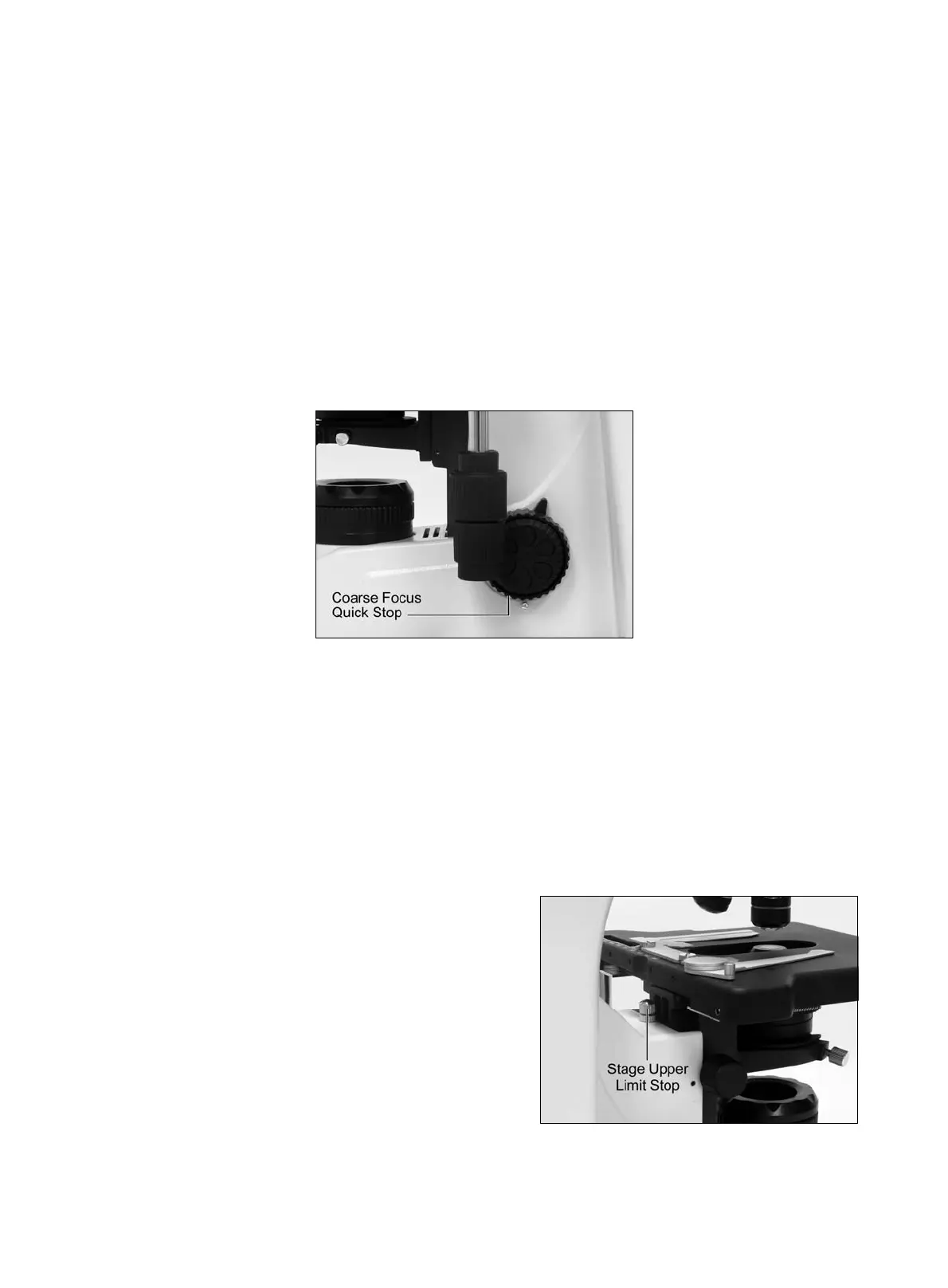
4.3 Coarse focus quick stop (Fig.9)
The coarse focus quick stop makes the stage can fixed at any position at which the specimen is in
focus i.e. by using the handle to lock the coarse focus knob.
With the specimen in focus, turn the handle to fix the knob.
When the coarse focus quick stop is in position, the stage cannot be raised from that position.
However, the fine focus knob can move the stage regardless of the limit but will only lower the
stage.
Lower the stage by using the coarse focus knob.
(Fig.9)
4.4 Stage upper limit stop adjustment (Fig.10)
(Upper Stage Limit is preset at the factory; please only adjust if necessary)
The Stage Upper Limit stop marks the stage position at which the specimen is in focus i.e. by
restricting the movement of the coarse focus knob.
With the specimen in focus, turn the stage upper limit stop knurled ring clockwise until it reaches
the stop.
When the stage upper limit stop is in position,
the stage cannot be raised from that position.
However, the fine focus knob can move the stage
regardless of the limit but will only lower the stage.
Lower the stage by using the coarse focus knob
anticlockwise
(Fig.10)



 To Next Page