26
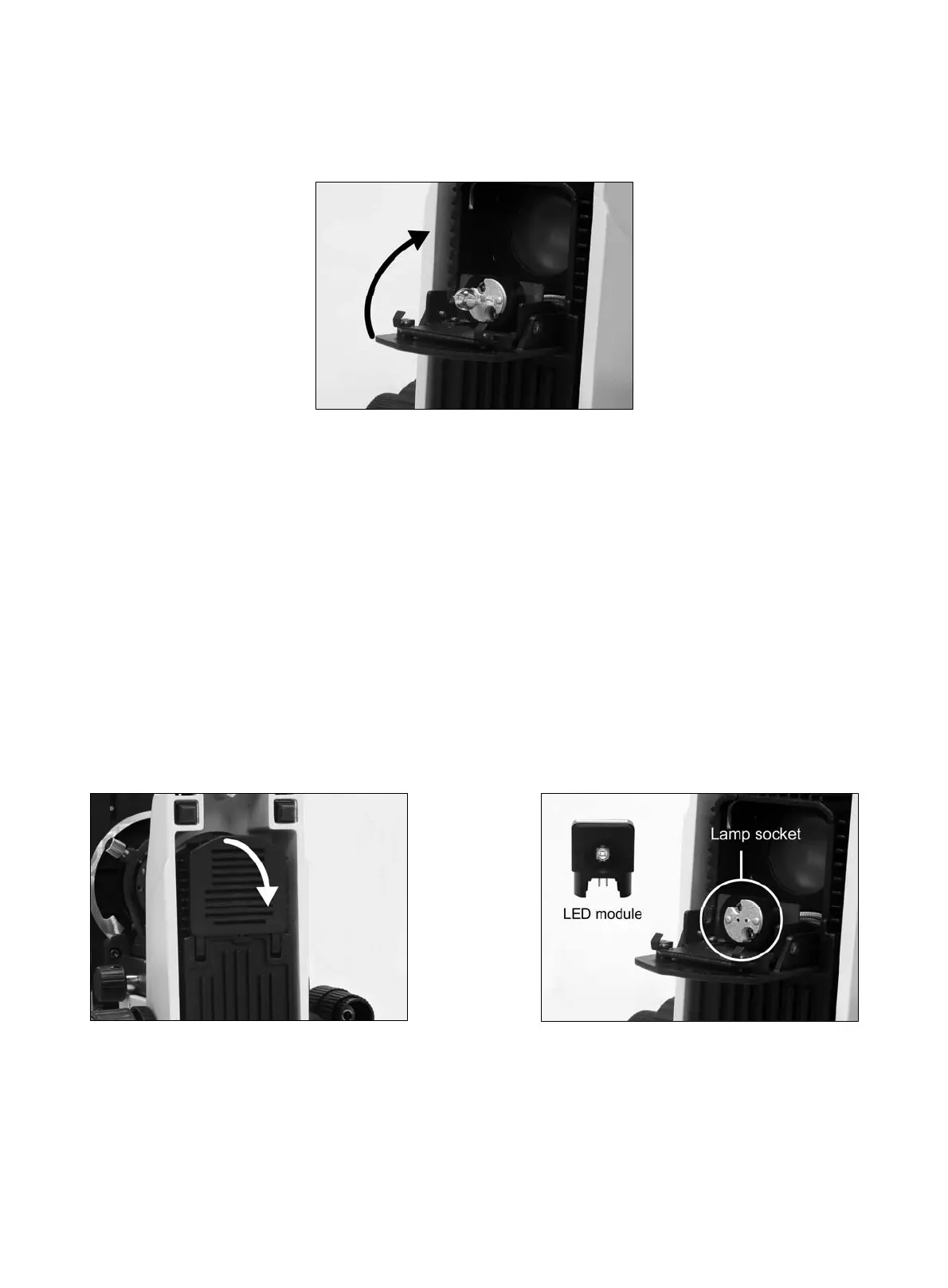
(Fig.16)
8.5.2 LED Module
In order to prevent electric shock always turn the power switch off and unplug the power cord
before installing or replacing the bulb.
Place microscope on its back and pull back the lamp house cover plate. (Fig.17)
Firmly insert the LED module into the socket pinholes until it reaches the limit (Fig.18).
This is a Motic patent design to exchange LED module and halogen bulb on the same socket
directly.
After the LED module installation, secure it with the clamp screw by 1.5mm hexagonal screwdriver
supplied with the microscope. (Fig.19)
Close lamp house cover plate and secure until it snaps into position. (Fig.20)
(Fig.17) (Fig.18)



 To Next Page