Trigger Box Quick Start Guide
19
Flair fails to trigger the
External Camera
See if you can trigger the camera manually, by
using Flair menu option Setups > Outputs >
Test O u tputs (page 15).
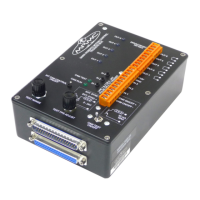
If the camera is connected to the CAM ON/
OFF connectors on the Trigger Box, make sure
the CAM TEST ON/OFF switch is in the correct
position (page 13). The switch must be Off if
you want Flair to trigger a real camera that is
connected to the CAM ON/OFF connectors on
the Trigger Box, and On if you want Flair to
trigger the simulated camera (Sync generator)
in the Trigger Box.
If you are trying to trigger the simulated
camera (Sync generator) in the Trigger Box
from Flair, make sure the INT CAM CONTROL
ON/OFF switch is Off so that the Sync
generator is under Flair control.
A trigger input fails to
activate
Note: Trigger input 3
(IN 3) is not
operational in the
current version.
Check all connections.
Try to isolate the problem:
• In Flair, check that you have assigned the
incoming trigger to the action you want
(Setups > Inputs setup, page 7).
• Make sure Flair is receiving the trigger
signal from the Trigger Box, by checking
that the relevant Trigger Input State
changes from Open to Closed in the
Setups > Inputs setup pop-up in Flair
when you press the relevant IN button on
the Trigger Box (page 7).
• Check that the external device is either
closing the Trigger input circuit or
supplying the correct trigger input
voltage, depending on the method you are
using to configure the trigger inputs (page
7).
Symptoms Cause and/or action


 To Next Page