Configuring the Gateway
FS-B35XX Series Start-up Guide 13
5 Configuring the FieldServer
5.1 Retrieve the Sample Configuration File
The configuration of the FieldServer is provided to the FieldServer’s operating system via a comma-
delimited file called “CONFIG.CSV”.
If a custom configuration was ordered, the FieldServer will be programmed with the relevant device
registers in the Config.csv file for the first time start-up. If not, the product is shipped with a sample
config.csv that shows an example of the drivers ordered.
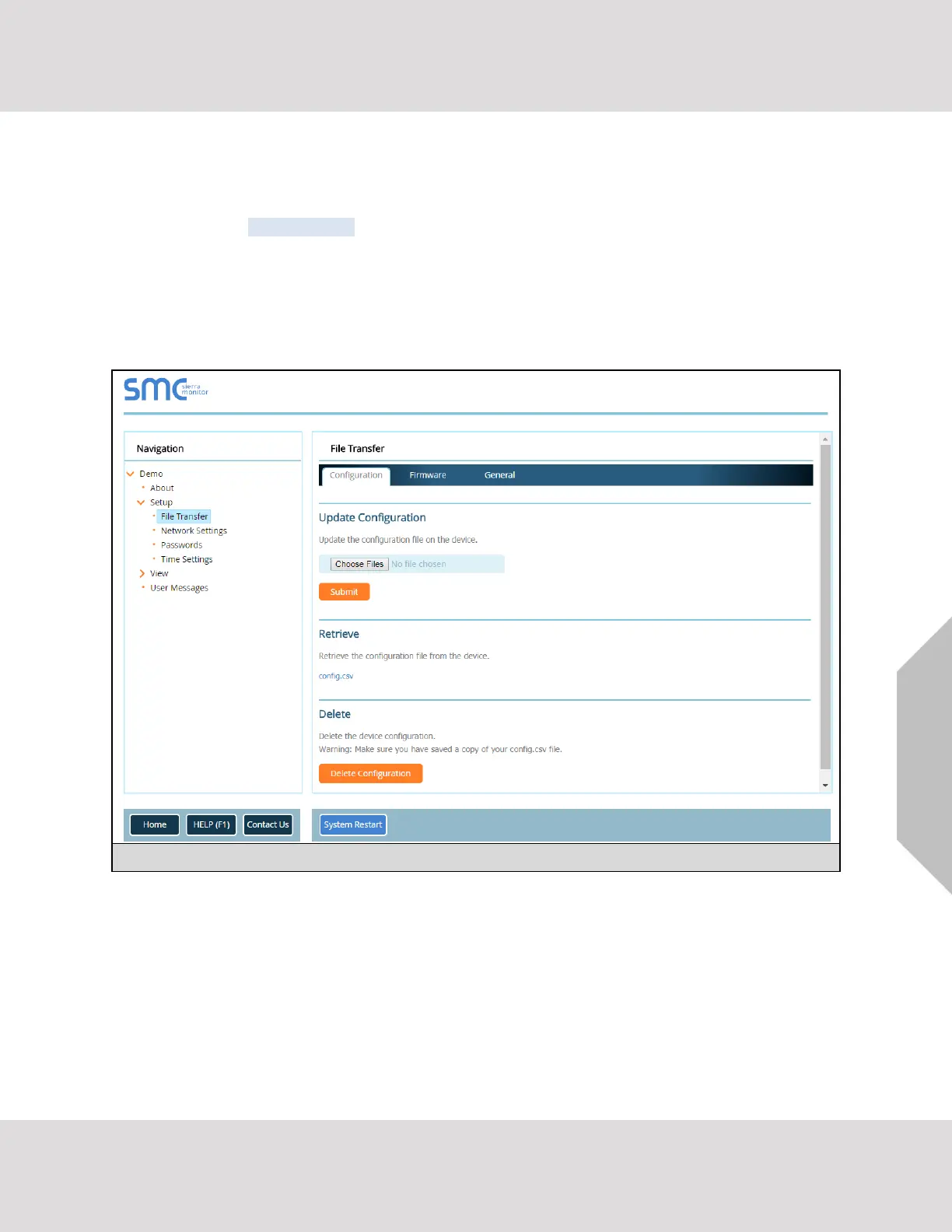
• In the main menu of the FS-GUI screen, go to “Setup”, then “File Transfer”, and finally “Retrieve”.
• Click on “config.csv”, and open or save the file.
5.2 Change the Configuration File to Meet the Application
Refer to the FieldServer Configuration Manual in conjunction with the Driver supplements for information
on configuring the FieldServer.



 To Next Page