Configuring the Gateway
FS-B35XX Series Start-up Guide 14
5.3 Load the Updated Configuration File
5.3.1 Using the FS-GUI to Load a Configuration File
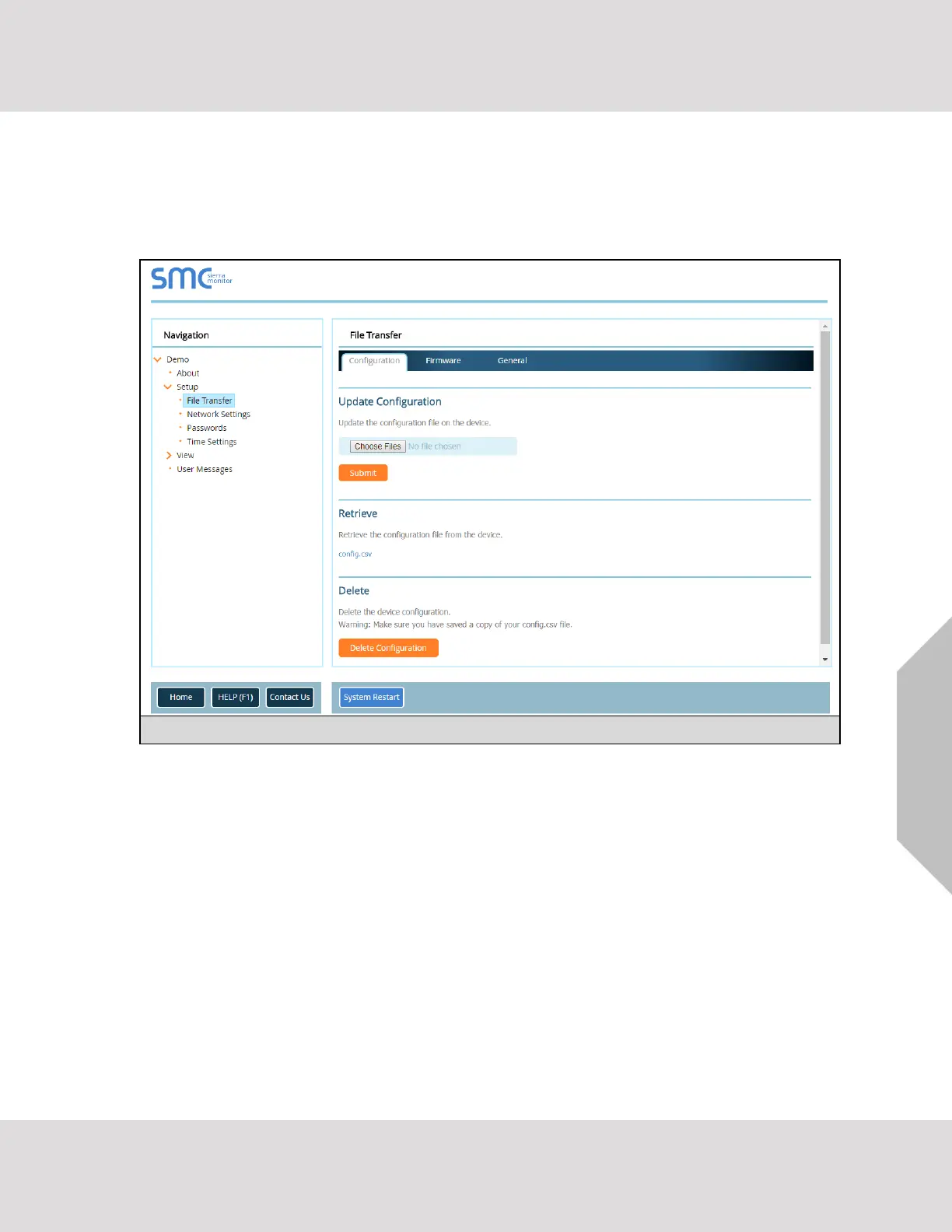
• In the main menu of the FS-GUI screen, click “Setup”, then “File Transfer” and finally “Update”.
• Browse and select the .csv file, open, then click “Submit”.
• Once download is complete, a message bar will appear confirming that the configuration was
updated successfully.
• Click the System Restart Button to put the new file into operation. Note that it is possible to do
multiple downloads to the FieldServer before resetting it.
NOTE: It is possible to do multiple downloads to the FieldServer before resetting it.


 To Next Page