Installation
FS-B35XX Series Start-up Guide 9
3 Connecting to the Device
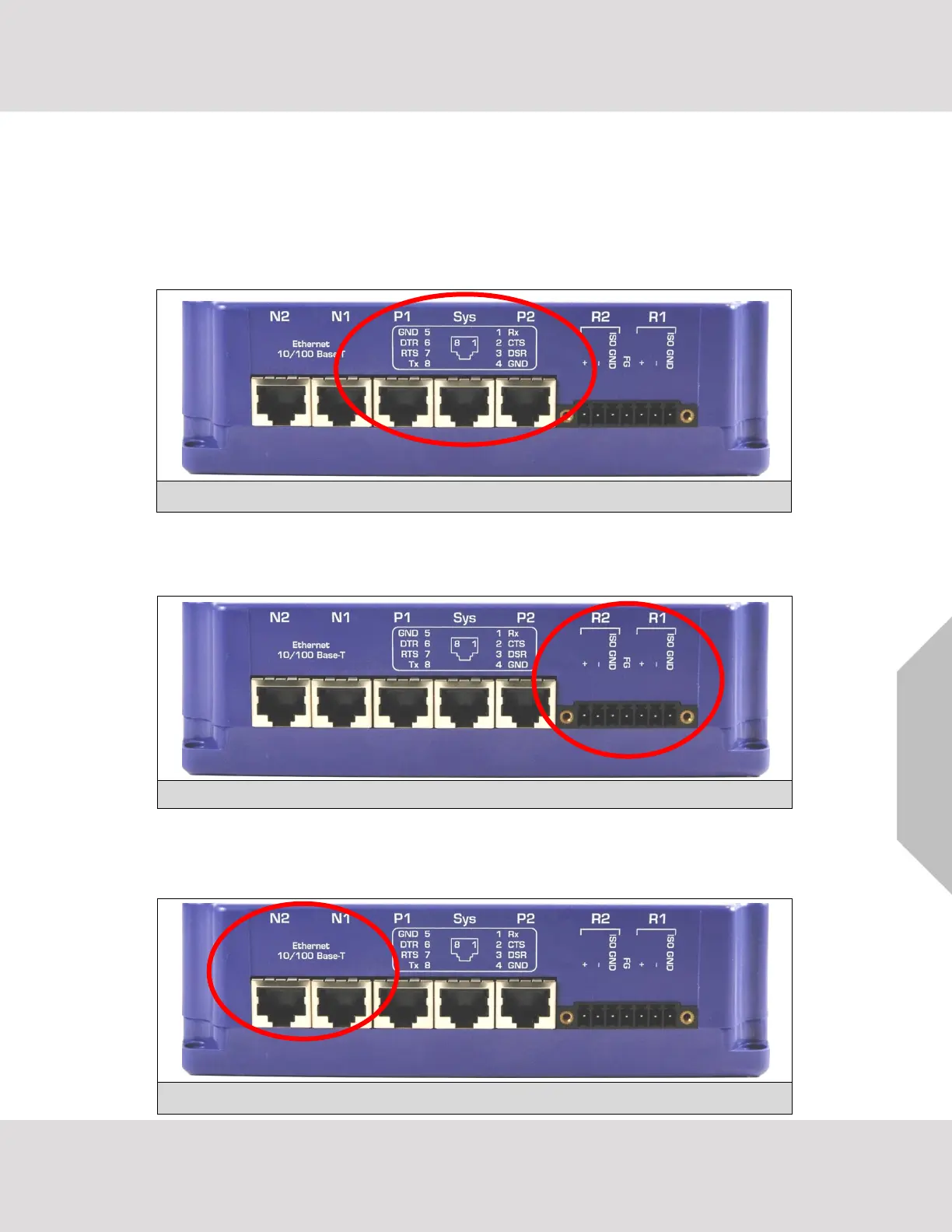
3.1 RS-232 Connection
Connect a RJ-45 cable (A) directly between Port P1/Port P2 and the remote RS-232 device. If using a
custom-built cable, make sure that the pinout on the FieldServer side of the cable is limited to the use of
pins 2(TX), 3(RX) and 5(GND).
NOTE: The Sys Port is for diagnostic use only and should not be used to connect to a Node.
3.2 RS-485 Connection
If using RS-485 from the remote device to the FieldServer, the “+”, “–“ and “GND” wire connections can be
used on the RS-485 port on the FieldServer.
3.3 Ethernet Connection
The Ethernet ports support Auto-MDIX. The provided Cat-5 UTP Ethernet cable can be used to connect
the FieldServer to a hub/switch or directly to the device through these ports.



 To Next Page