Troubleshooting
FS-B35XX Series Start-up Guide 20
6.3 Securing FieldServer with Password
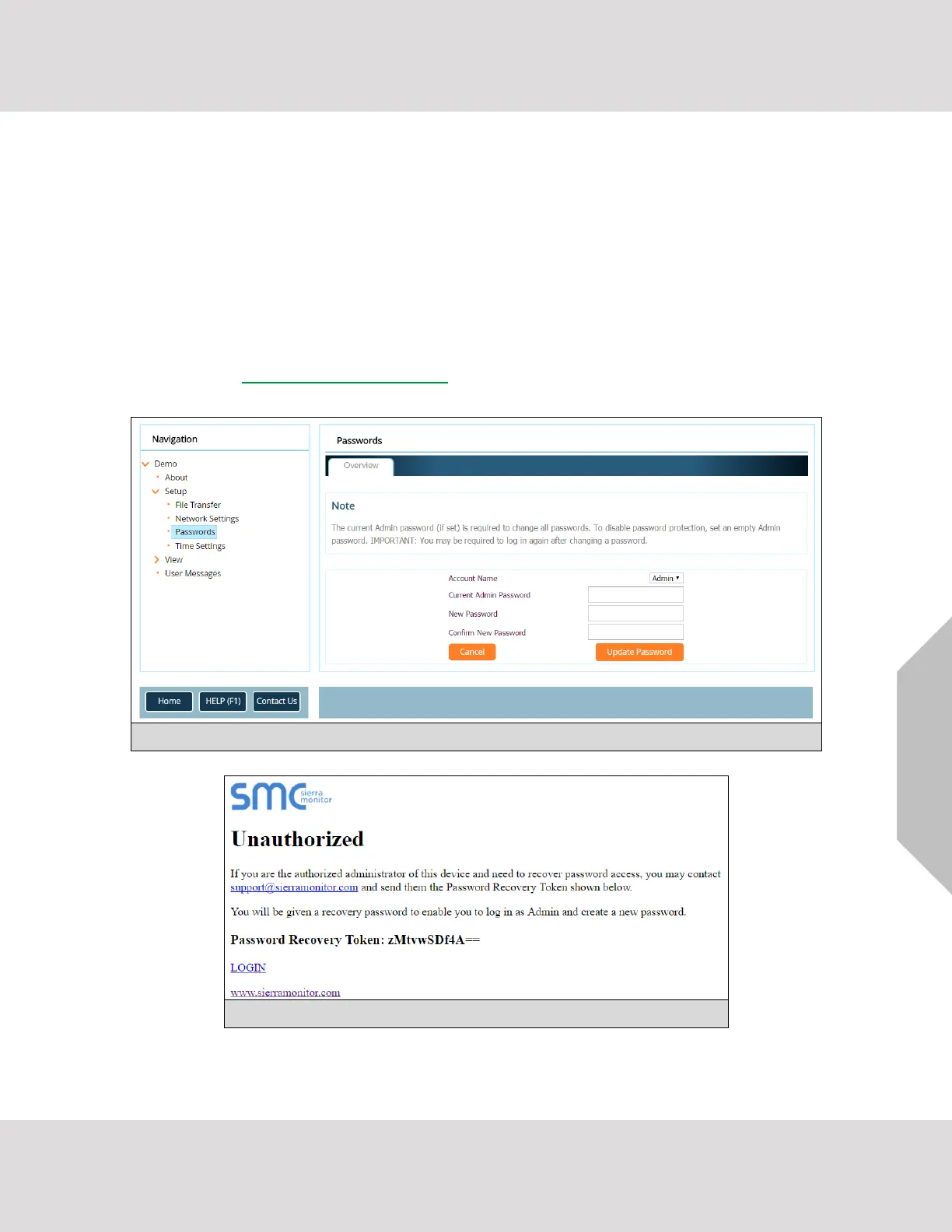
Access to the FieldServer can be restricted by enabling a password on the FS-GUI Passwords page – click
Setup and then Passwords in the navigation panel. There are 2 access levels defined by 2 account names:
Admin and User.
• The Admin account has unrestricted access to the FieldServer.
• The User account can view any FieldServer information but cannot make any changes or restart
the FieldServer.
The password needs to be a minimum of eight characters and is case sensitive.
If the password is lost, click cancel on the password authentication popup window, and e-mail the password
recovery token to smc-support@msasafety.com to receive a temporary password from the FieldServer
support team. This will allow access to the FieldServer in order to set a new password.



 To Next Page