Configuring the Gateway
FS-B35XX Series Start-up Guide 15
5.3.2 Retrieve the Configuration File for Modification or Backup
To get a copy of the configuration file for modifying or backing up a configuration on a local computer, do
the following:
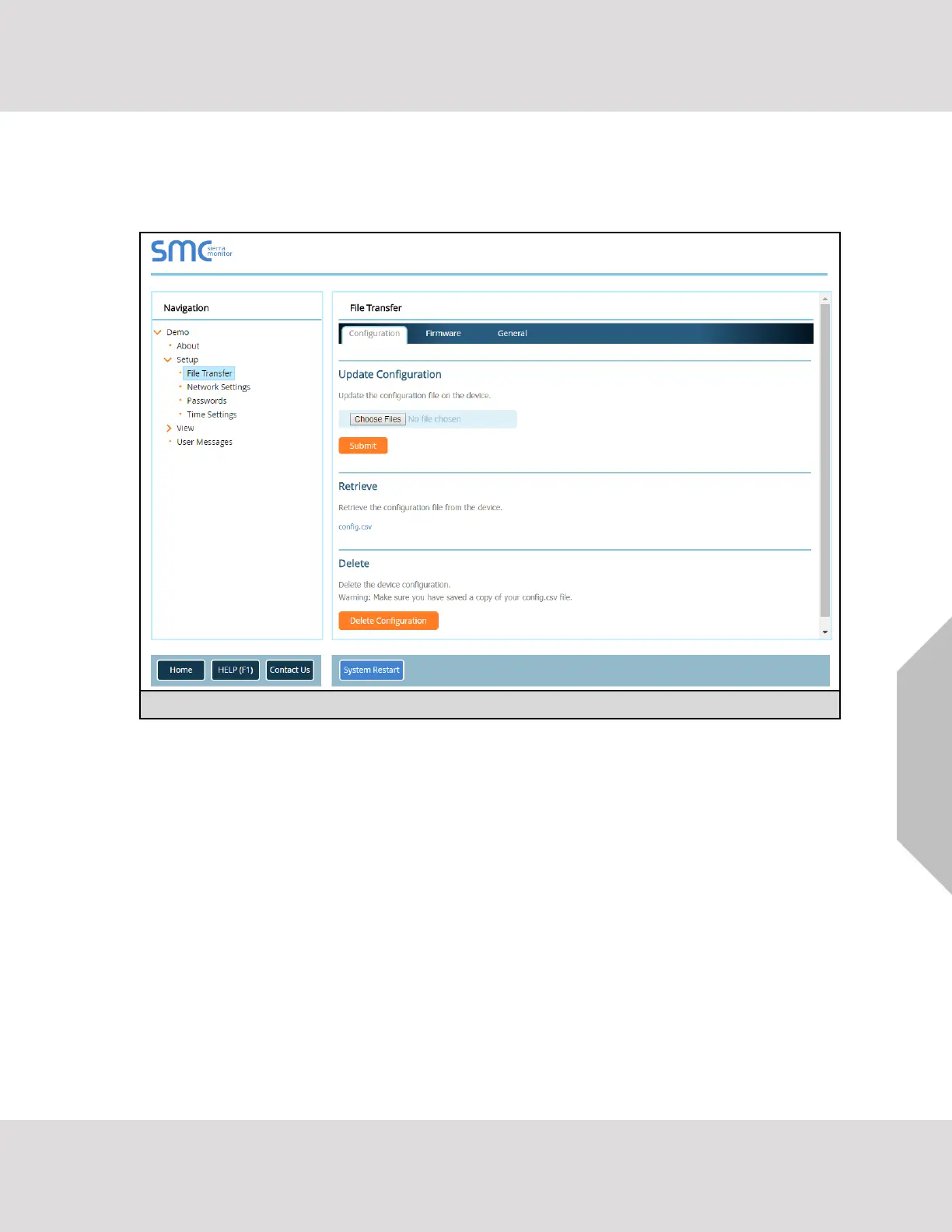
• In the main menu of the FS-GUI screen, click “Setup”, then “File Transfer”.
• Click the “config.csv” link under the “Retrieve” heading in the middle section of the screen.
o The file will automatically download to the web browser’s default download location.
• Edit or store the file as desired.
NOTE: Before using any backup configuration file to reset the configuration settings, check that
the backup file is not an old version.


 To Next Page