USER MANUAL V1.0 | Updated January 19, 2019 57
Step 2
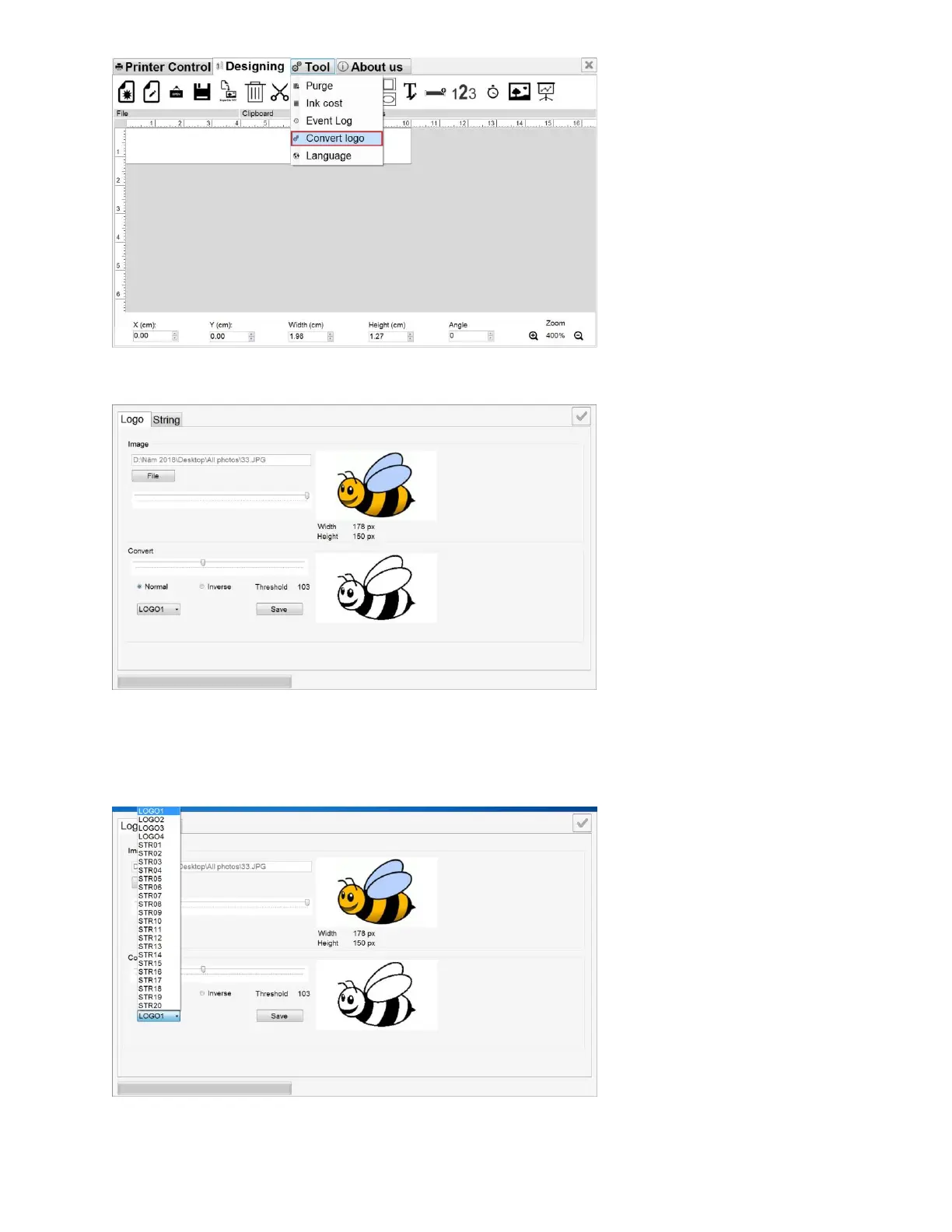
Go to Browse to select your desired logo.
Step 3
Adjust the Threshold, background color (Normal, Inverse).
Step 4
Select to name your logo (LOGO1, LOGO2, LOGO3 and LOGO4) and save it to USB flash.



 To Next Page