USER MANUAL V1.0 | Updated January 19, 2019 10
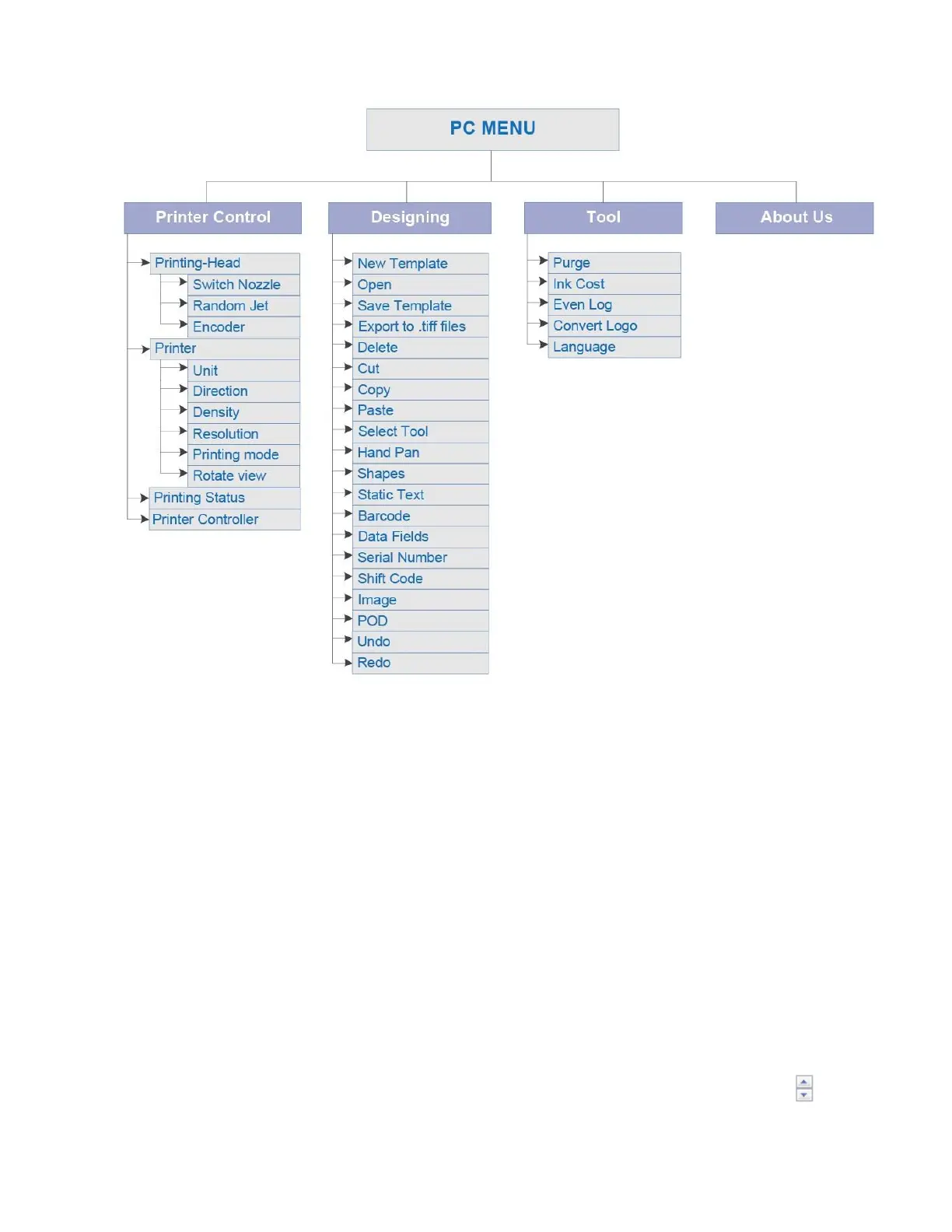
Operation menu on computer
PRINTER CONTROL
Set all printing parameters for the message before start printing.
Be sure to stop the printing mode before changing the parameters.
Printing - Head
Switch Nozzle
Select nozzle sides, ODD or EVEN.
Turn on ODD to print on the odd side (with 300x300dpi).
Turn on EVEN to print on the even side (with 300x300dpi).
Auto Switch Nozzle
Select ON for automatically changing nozzles between ODD and EVEN. And then select
the number of changing. Otherwise, select OFF.
Random Jet
Periodically purge to clean the print head.
Turn ON Status and set the time for purging in the Time by click up or down at or input
the desired value. This value is adjustable from 10s to 9,000s.



 To Next Page