USER MANUAL V1.0 | Updated January 19, 2019 58
On machine. Insert the USB flash to machine. Go to Settings Logo Select the name of
logo that you just created. Wait a moment, the machine will update logo from USB flash to
itself memory.
UPDATE FIRMWARE INSTRUCTIONS
NOTES:
• Be sure there is no power failure while firmware is being updated.
• All data and settings will be lost while updating new firmware.
• Cartridge should be removed from the machine to avoid failure.
• Everything connected to the machine (exclude keyboard) should be removed from the
machine.
Prepare USB flash
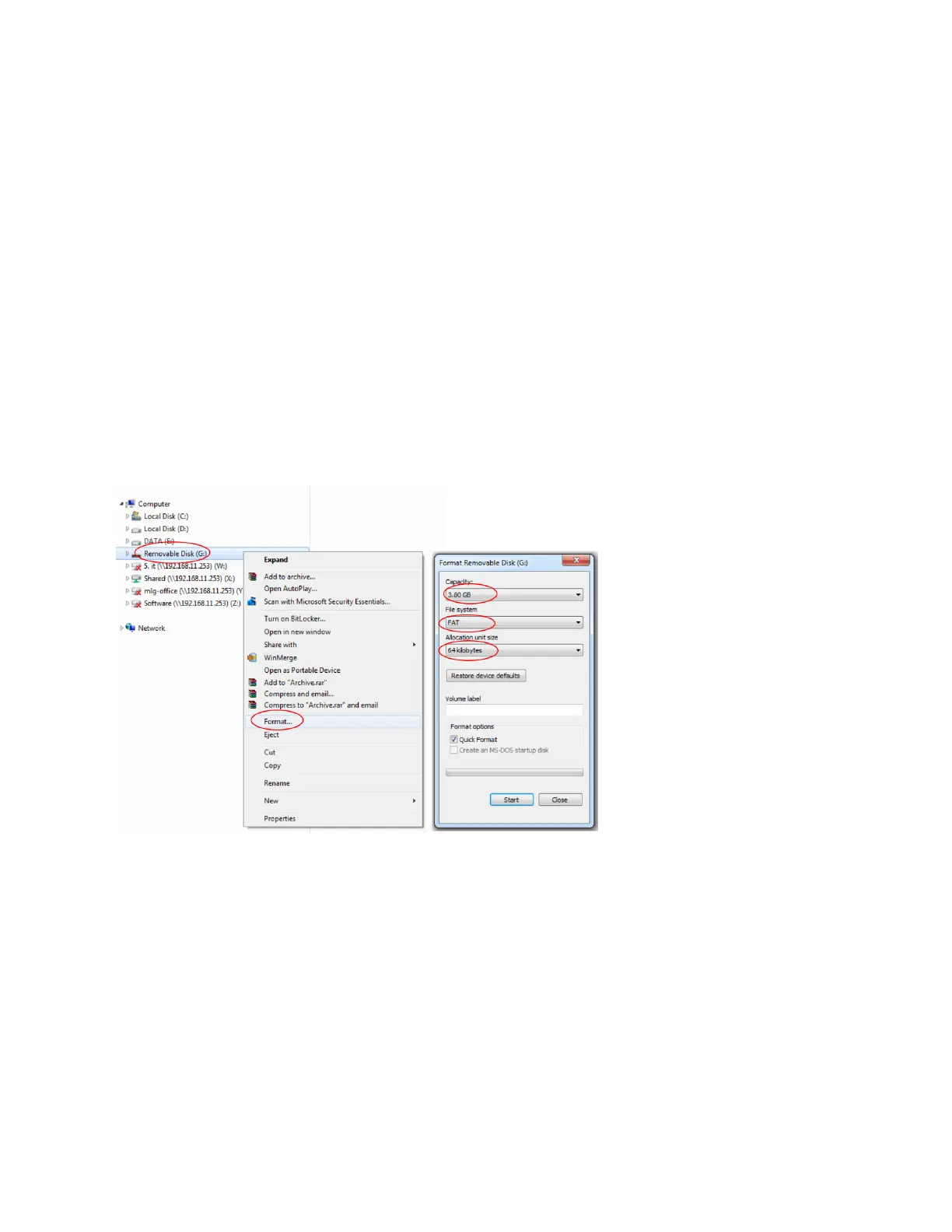
Prepare USB flash disk less than 32GB.
Format USB flash disk with file system FAT / FAT32 and allocation unit size 64 kilobytes. See
photo below:
Extract firmware folder (.RAR file) to ROOT folder of USB flash disk.



 To Next Page