15
5. Main Menu
ENGLISH
Press the p or q button to select the menu
item „Motion Detection“. In this menu, you can
specify that a camera automatically records
video when motion is detected.
Press the p or q button to select a camera and confirm with OK. In the following menu you can
adjust various settings of the selected camera:
Sensitivity:
Select the sensitivity of motion detection. You can choose between low, medium and high. In „high“
are as good as all movements cause the camera starts recording.
Motion Detection:
Turns the motion detection of the selected camera on or off.
Stop Condition:
Select the time after which the recording will stop again if no movement is detected by the camera.
You can choose from 8 to 120 seconds.
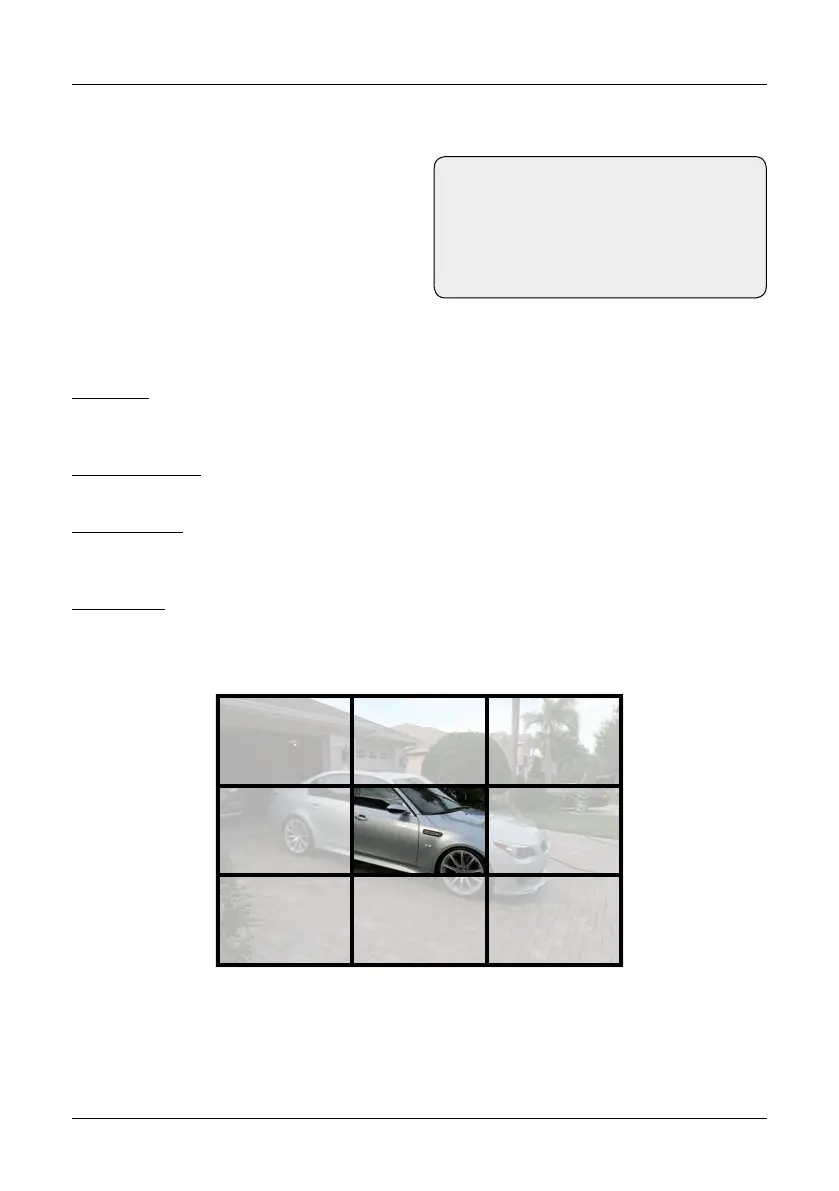
Area Setting:
Choose an area of the camera on which the camera is focusing. This area of the image is particularly
sensitive when movement takes place.
When you have made your settings, press the MENU button to save and exit the menu.
Motion Detection
Note:
The motion detection not only responds
to people. Also, animals or other things
that move in front of the camera can trig-
ger recording.


 To Next Page