Positioned on a level plane
Installieren Sie die Kamera
auf einer ebenen Fläche.
05
3. Installation
ENGLISH
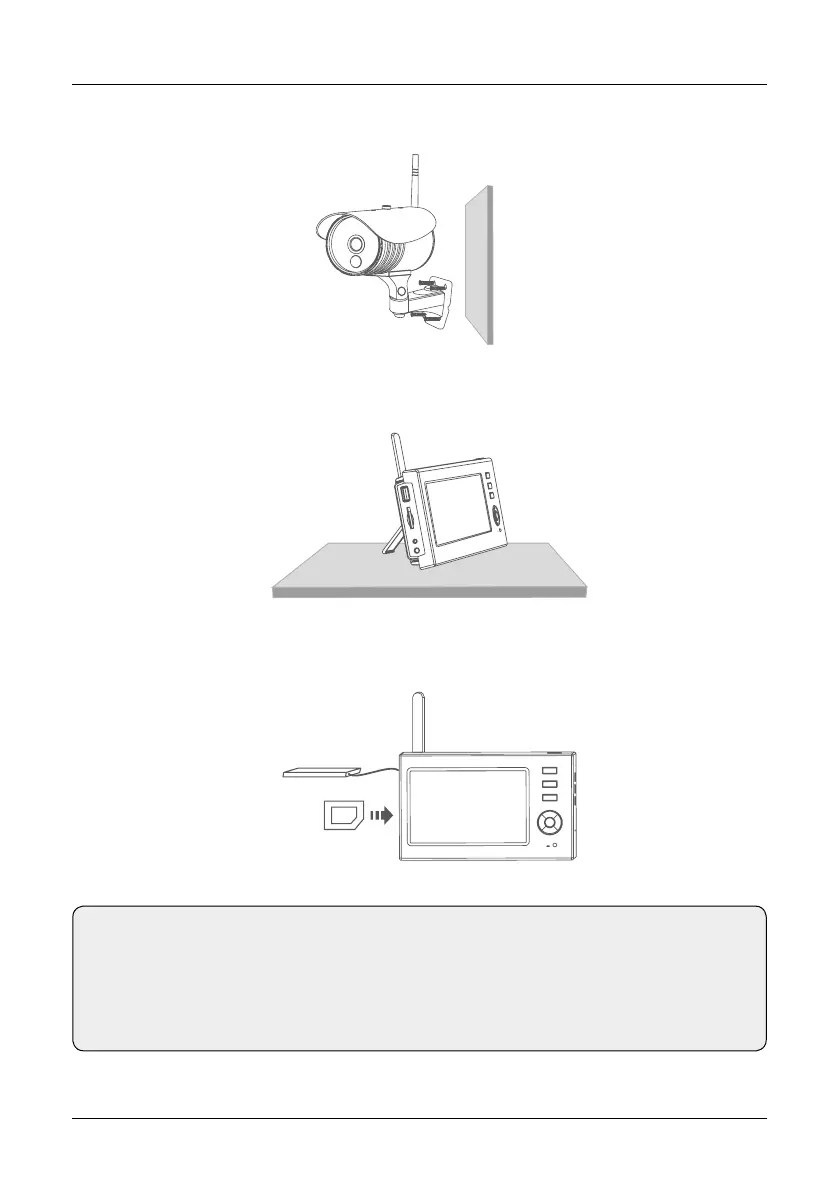
1. Install the camera at the proper monitoring location and screw up the bracket.
2. Install the receiver at a proper location.
3. Insert the SD card or connect an external USB storage device.
Note:
1. It doesn’t support hot-swappable of SD card or external storage device.
2. The external mobile disk/SD card should be in format of Fat32.
3. Please format the SD card or external mobil disk if they have been used on other device.


 To Next Page