4. Operation
06 ENGLISH
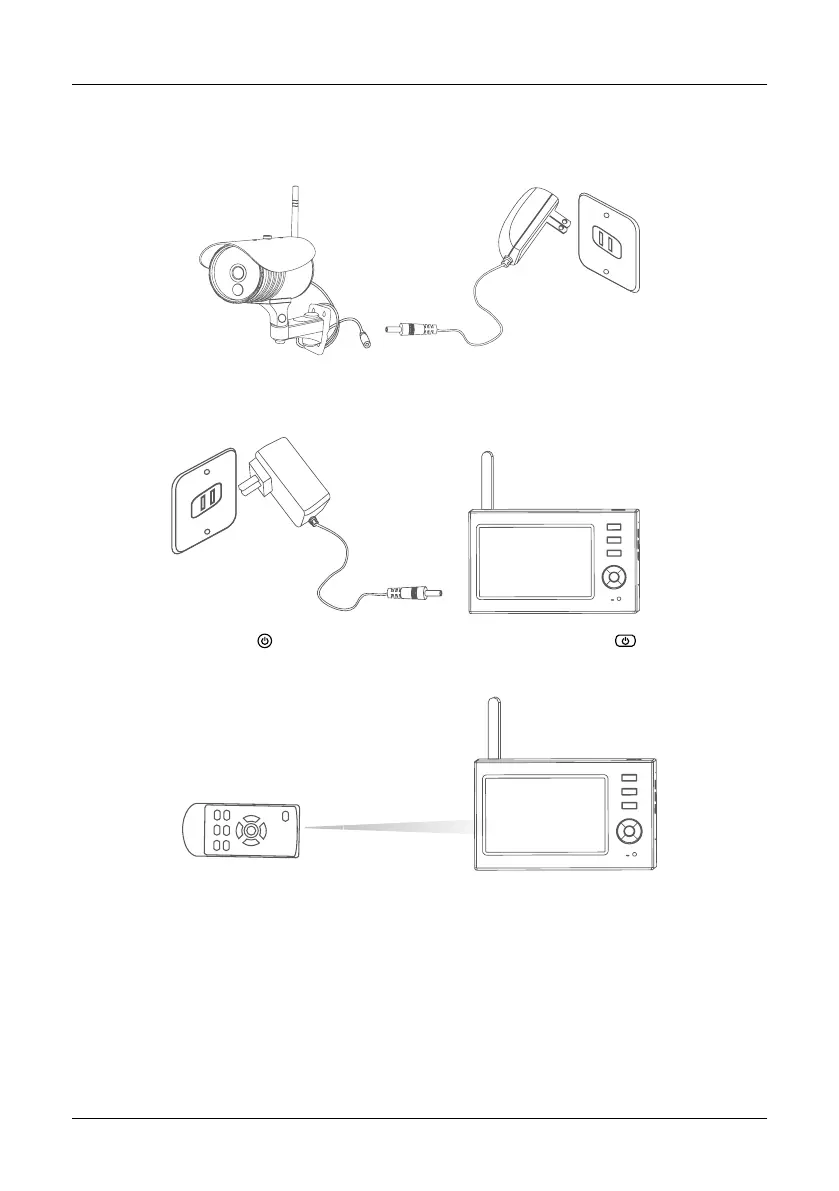
1. Connect the camera to the power supply. The power Indicator on the back is turned on.
2. Connect the receiver to the power supply. The receiver built-in rechargeable lithium battery, when
the power is low, please charging with the provided adapter.
3. Press the power switch on the receiver for 2s. or press the power switch on the remote
control (direct the remote control toward the receiver). The power indicator is turned on and the
power-on picture appears.
4. Pair the cameras and receiver respectively (at most four cameras can be connected at the same
time). Pairing is completed by default before delivery. If pairing is not completed, complete pairing
according to “Pairing” on page 18.


 To Next Page