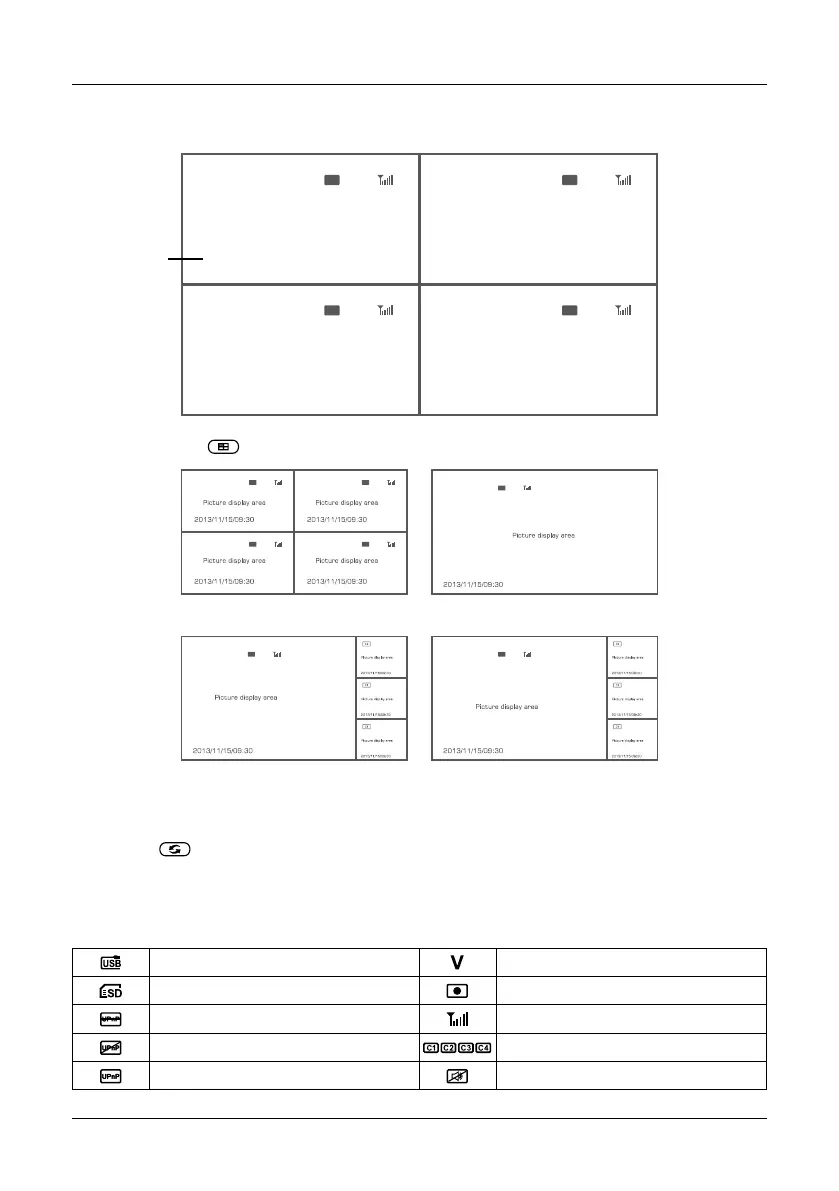
5. After successful pairing, the following real-time monitoring picture appears:
6. Press the button to switch between four display modes:
7. Press the button to enter cyclic mode display. Five cyclic intervals are available: 5s, 10s, 15s,
20s, and 30s and can be set under “System”.
Time stamp
four pics
one big,
three small pics
one pics
one big,
three small pics
07
4. Operation
ENGLISH
2013/11/15/09:30
2013/11/15/09:30
2013/11/15/09:30 2013/11/15/09:30
Picture display area Picture display area
Picture display areaPicture display area
Meanings of icons on the real-time monitoring picture:
Mobile hard disk inserted successfully Current camera
SD card inserted successfully Recording status
No open router Signal intensity
Network connection failure Camera name
Network connection successful Mute


 To Next Page