Press in the real-time monitoring the MENU button to enter the main menu.
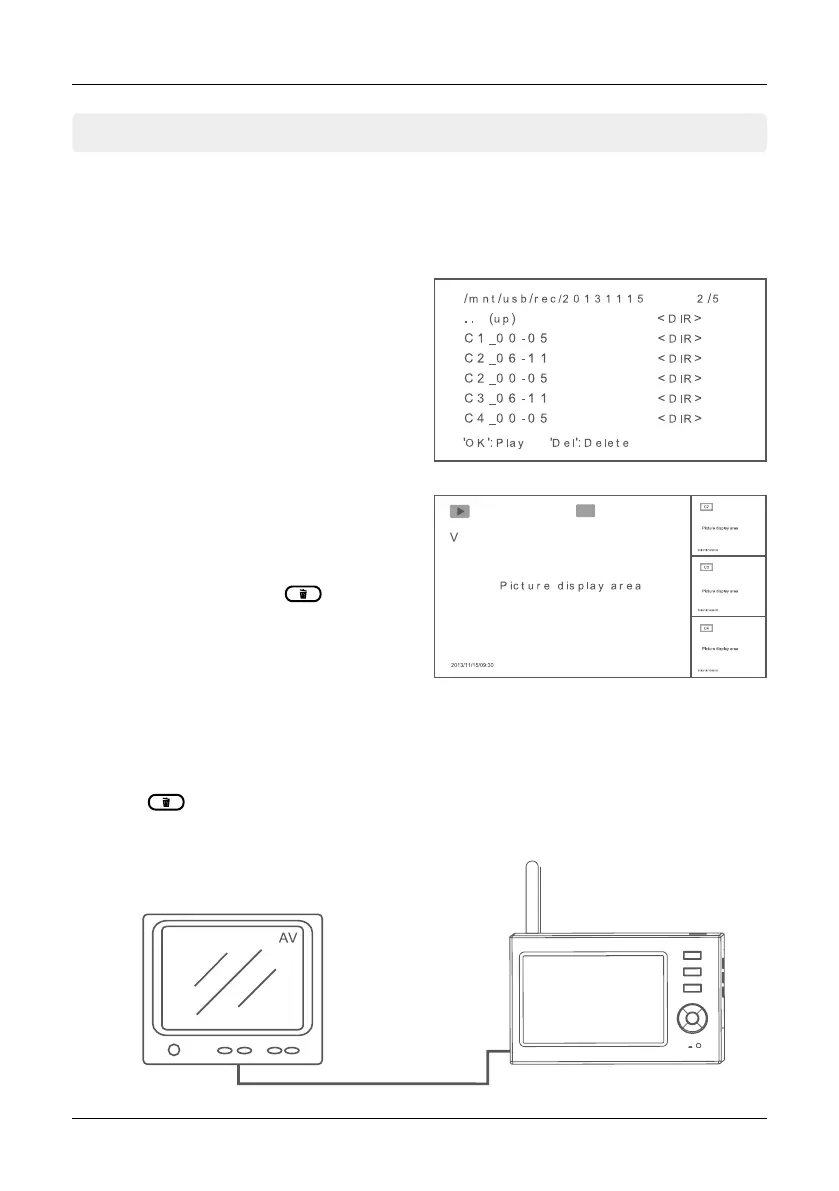
Press the t or u button to select the menu item PLAYBACK. Confirm with OK.
17
5. Main Menu
ENGLISH
Playback
Delete
Video output
5.3 Playback
Using the p or q button to select a folder
and click OK. Then select with the p or q
button of a video and press OK to play it.
Using the t or ubutton to fast forward and
rewind a video. Use the OK button to set the
video to pause, press MENU to exit the menu.
In PLAYBACK menu using the p or q button
to select a folder, then press button to
erase. NOTE: Only empty folders can be de-
leted. Delete first the videos inside the folder.
You can connect the receiver to a larger monitor/TV to monitor video more clearly.
Press the button to switch display between the monitor/TV and the main monitor.
AV cable


 To Next Page