27
7. Operating with iOS devices
ENGLISH
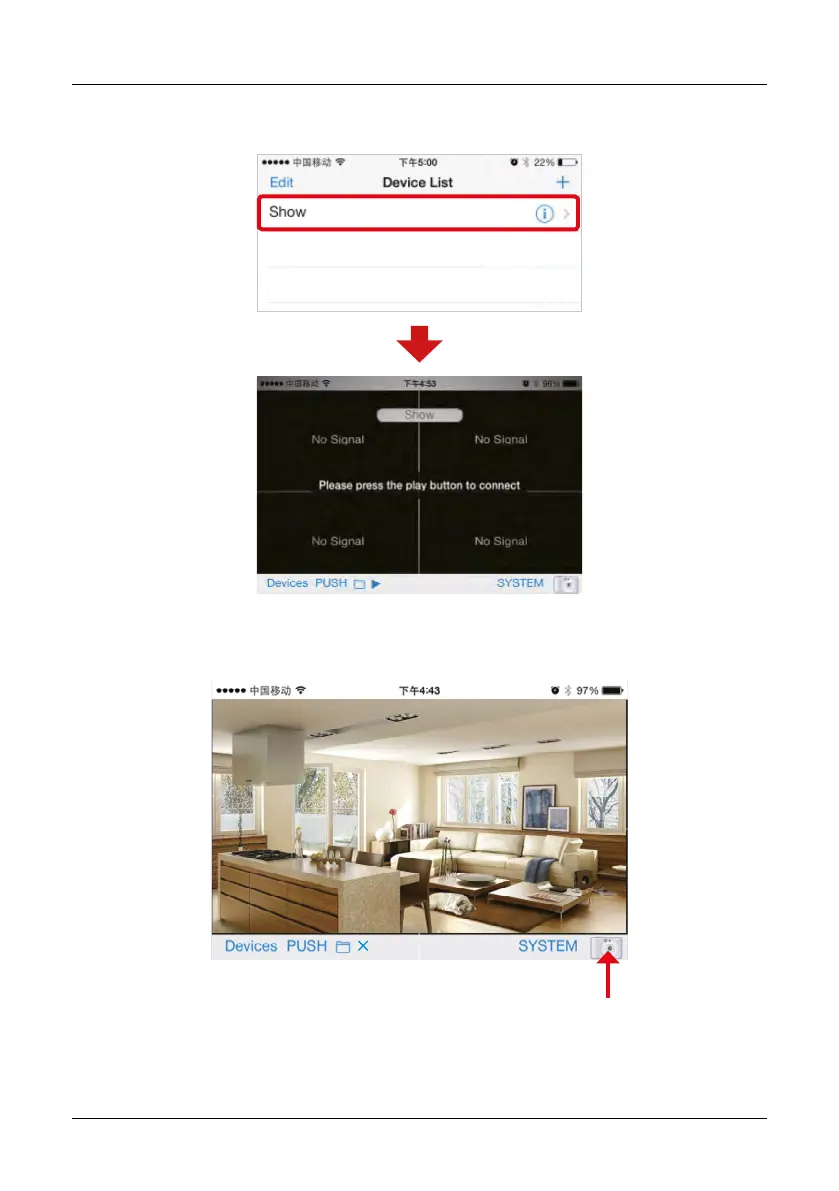
3. To view the video image, you need to choose the right title in the Device list, then click the line
to enter the monitoring mode.
4. Click on the bottom „play“ icon. APP will try to connect the RX of the previous selected title, if
connection is successful, the video image will display on the client.
Take a photo
2013/11/15/16:43


 To Next Page