User Manual of VT1000
- 14 -
Note: Red box means the vehicle Online;
Yellow box means the vehicle offline;
Green box means the vehicle running.
② Vehicle Information Management
Centralized management of all vehicles in the platform, the “Kind, GPRS ID, Plate No.” are
mandatory terms, and the GPRS ID must be consistent with the tracker ID.
Set up a new group and new vehicle information. For example,
Group name: demo123
Username: demo123 (can be set different from group name)
Password: 123
Vehicle name: Benz2012
③ Set up information for a new group e.g. ‘demo123’
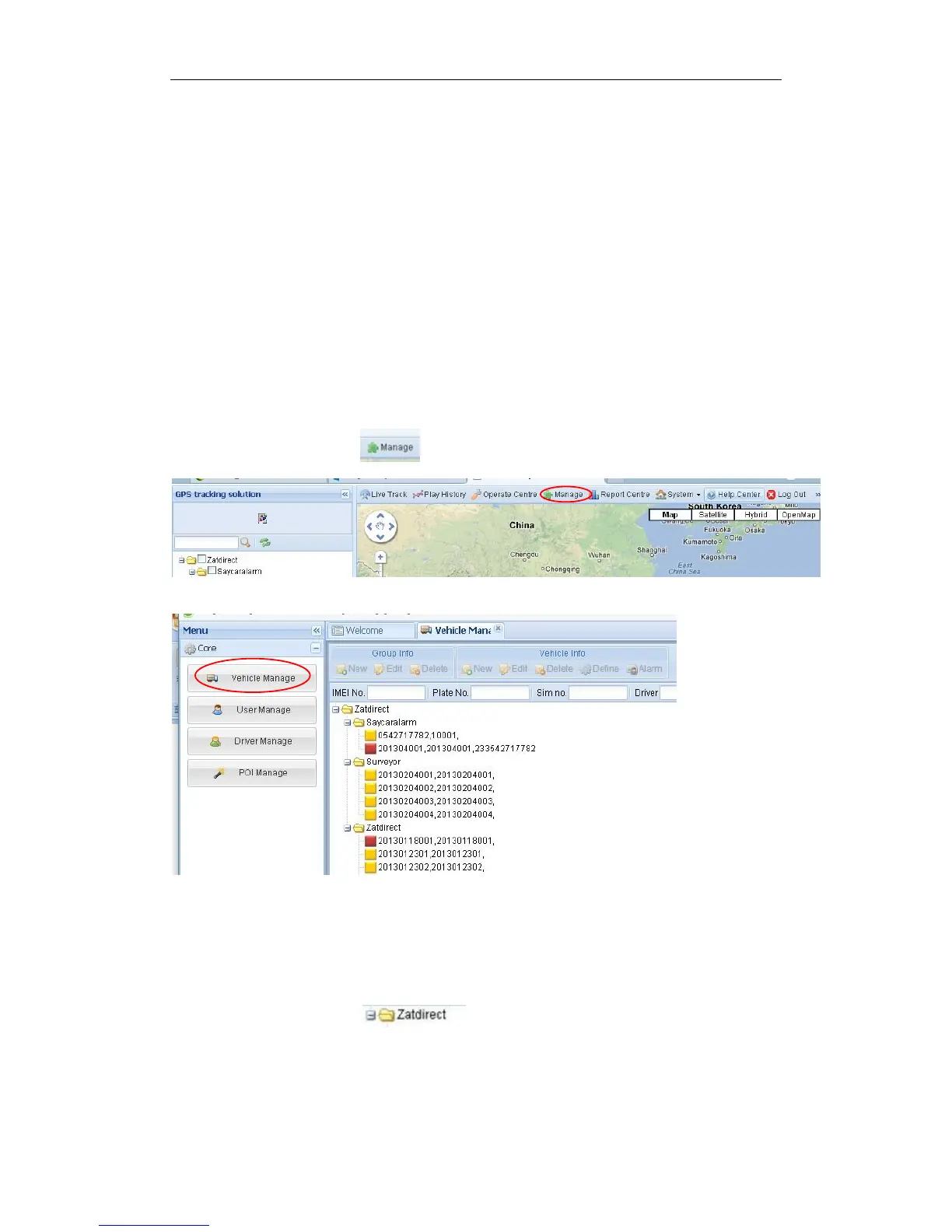
Click picture 1“ manage” and then click the picture 2, “Vehicle Manage.”
Picture 1
Picture 2
Click the company name, e.g. in picture below:


 To Next Page