User Manual of VT1000
- 31 -
Set clear/reset odometer
function
W******,046
To clear and reset odometer
information to zero.
Set function of receiving
location physical address name
via SMS
W******,111
This function need support of
the GPRS01 or SMS01
tracking platform, address
SMS will be received in text
format.
Get version and serial
number
W******,600 To get version and serial
number of
current firmware
Get IMEI No. W******,601 To get device IMEI No.
Reboot GPS and GSM Module
W******,900### ### is the ending character.
Initialization
To turn all the parameters /
settings (except for the
password) to factory default.
W******,990,099### ### is the ending character.
Password Initialization
W888888,999,666 This command will reset the
current password to factory
default password 000000
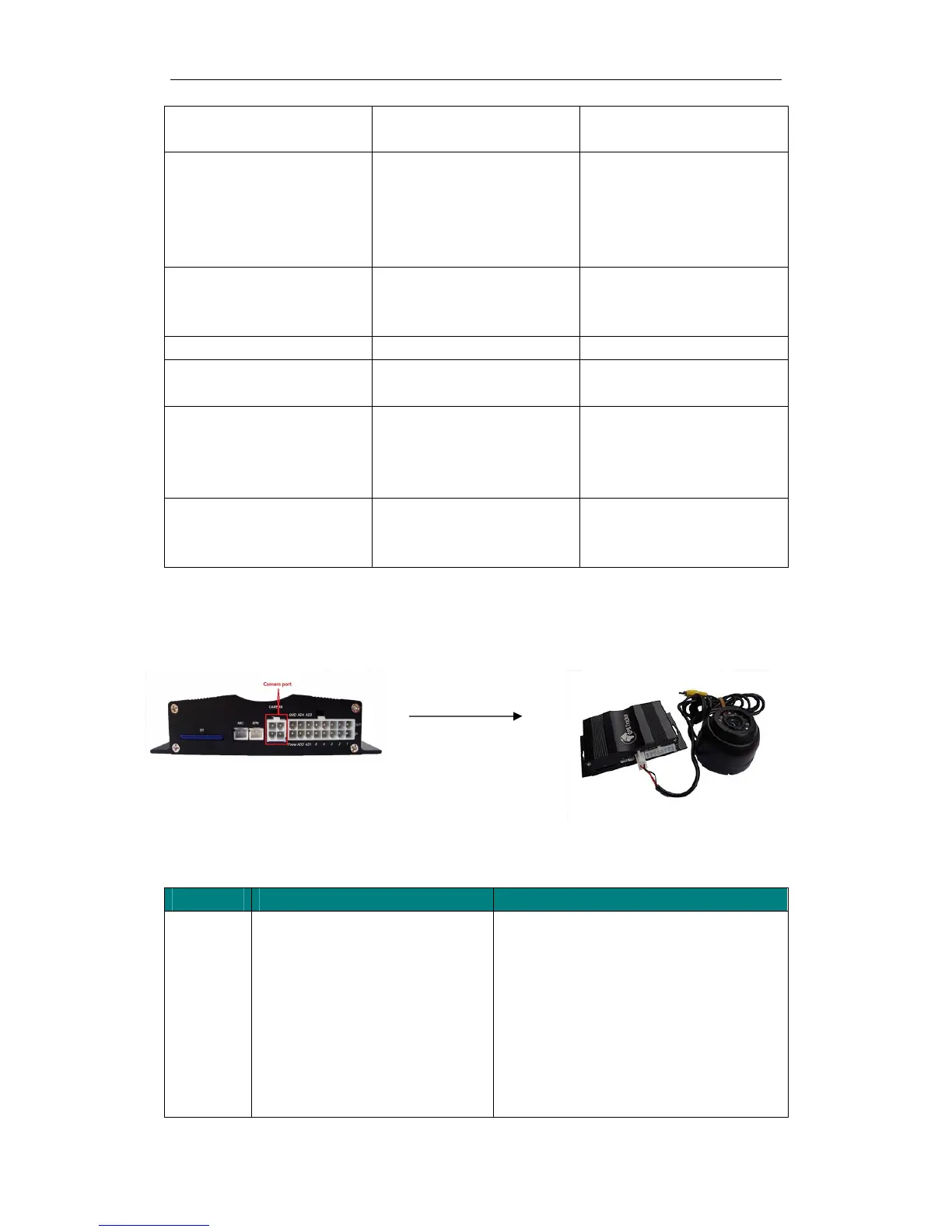
Appendix 3: How to use Camera
1. Install camera
2. Take photo when trigger alarm
2.1 Send SMS commands to set take photos:
Description Command Remarks
A : Snap or not when IN1 alert triggered, A=1
means snap, A=0 means no action
B : Snap or not when IN2 alert triggered, B=1
means snap,B=0 means no action
C: Snap or not when IN3 alert triggered, C=1 means
snap, C=0 means no action
D: Snap or not when IN4 alert triggered, D=1
means snap,D=0 means no action
E: Snap or not when IN5 alert triggered, E=1


 To Next Page