User Manual of VT1000
- 41 -
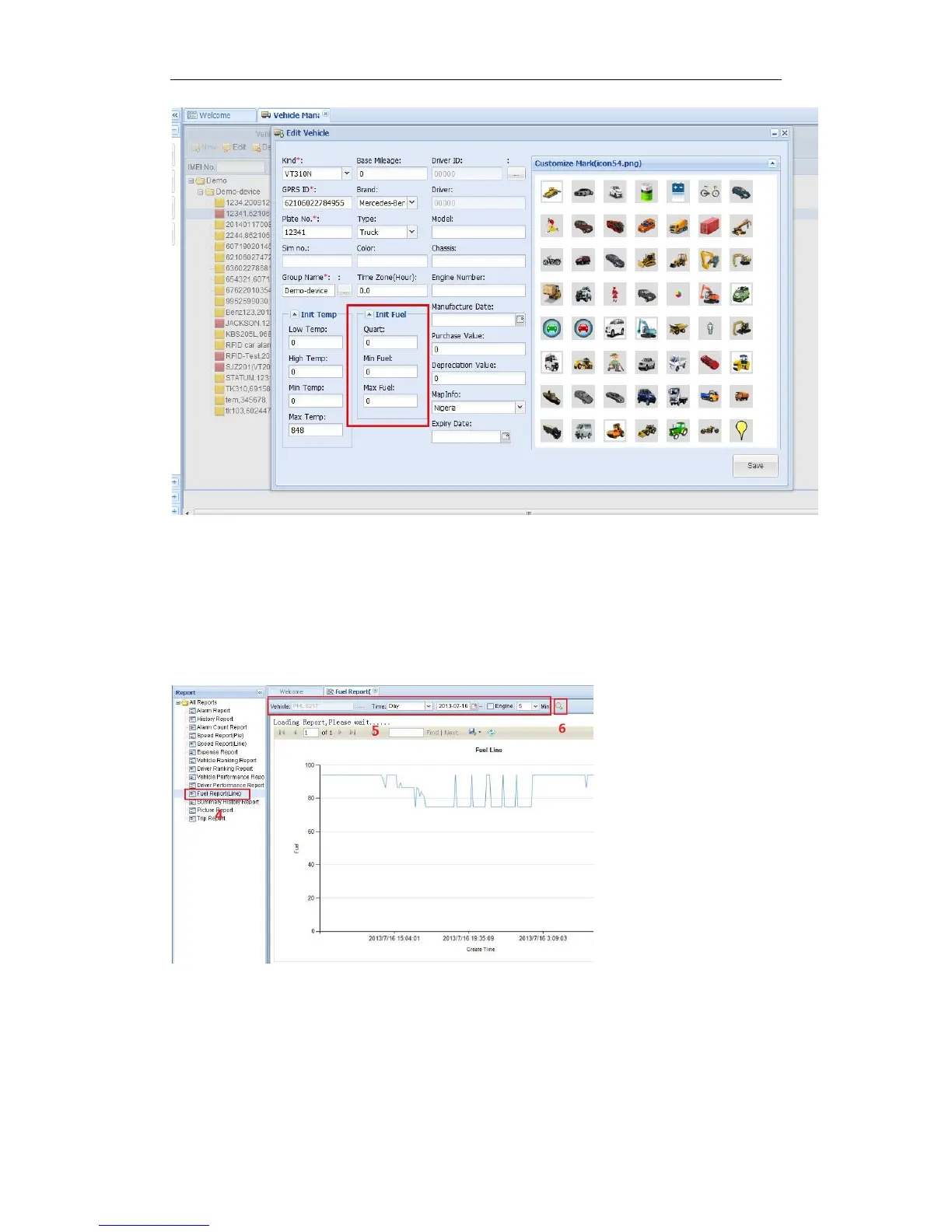
4. Click “Save”. Finish.
2.3 Select your device, such as instructed 1; it will display your car’s the current oil/Fuel (L)
(instructed2).
2.4 If you want to see the history record chart. Please click “Report Centre”(instructed 3), then the
Report interface will pop up; (following picture P3)
P3
2.5 In Report options, there is a Fuel Report (Line), click it (instructed 4), then it will display
instructed 5, 6; you need choose “vehicle, Time or data etc.”, and click search (instructed 6), later


 To Next Page